

Microsoft’s New SQL Migration Assistant for Microsoft Fabric
Microsoft has introduced a new Migration Assistant for SQL database in Microsoft Fabric (Preview), a Fabric‑native, wizard‑driven experience that walks customers through moving SQL Server and Azure SQL Database workloads into Fabric step by step. The experience lives directly inside the Fabric portal and focuses on simplifying schema import, compatibility checks, and data copy so teams can get to value faster.
Unlike traditional migrations that require external tooling and lots of manual prep, the Migration Assistant aims to keep everything in one place, from assessing schema compatibility to kicking off Fabric copy jobs. This reduces the need for bespoke ETL pipelines and minimizes the risk of “schema drift” during migration.
Why This Matters for Legacy SQL Server Shops
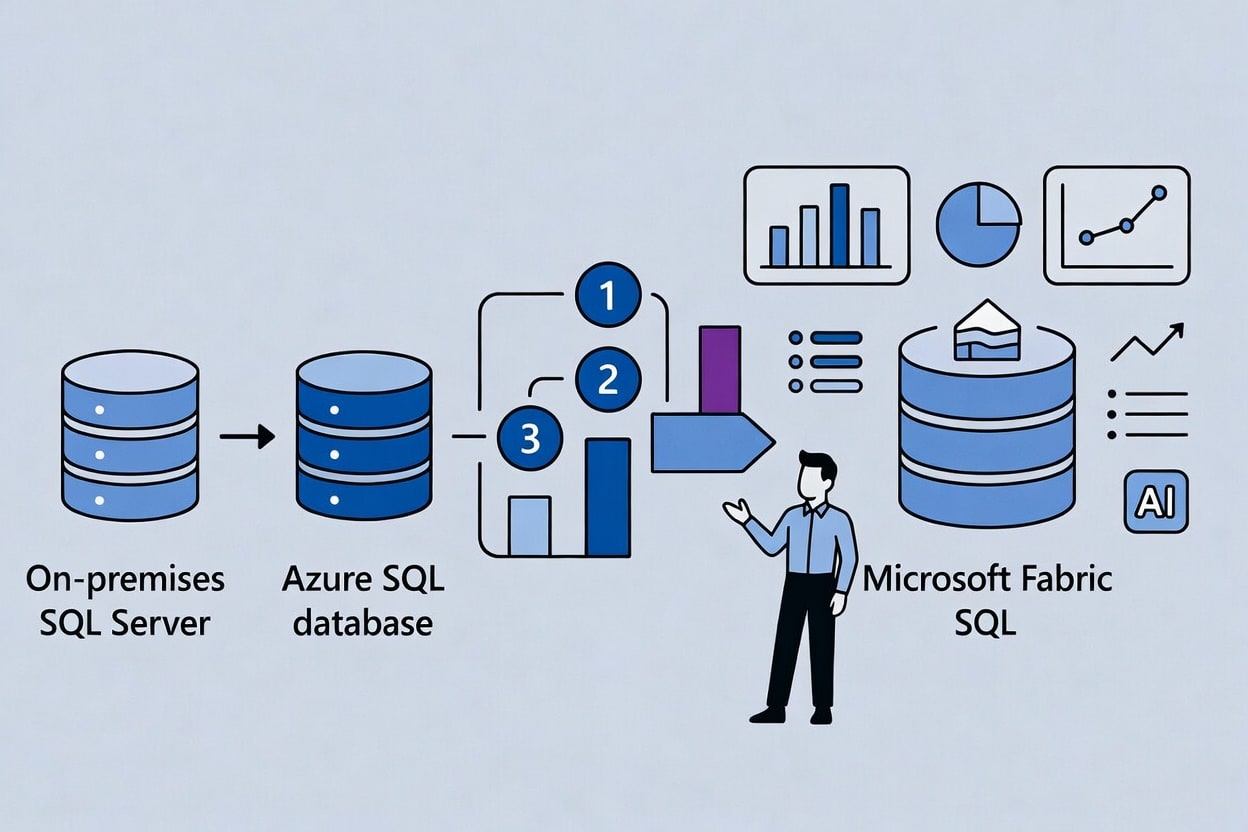
Many enterprises still rely on long‑running SQL Server instances and Azure SQL databases that power critical applications but are hard to modernize without major rewrites. The new Fabric Migration Assistant is explicitly pitched as a way to bring those databases into Fabric without forcing a complete re‑architecture.
By offering guided migration and automatic schema conversion into Fabric’s SQL database experience, Microsoft is positioning Fabric as a unifying analytics and data platform that can sit on top of existing investments. That gives data teams a more realistic path to adopting Fabric’s lakehouse, real‑time analytics, and integrated AI features while gradually shifting off legacy setups.
How the Fabric SQL Migration Assistant Works (Step‑by‑Step)
Here’s a concise walkthrough you can share with readers who want to actually use the Migration Assistant once it appears in their tenant.
1. Launch the Migration Assistant in Fabric
Admins and data engineers can open the Fabric portal and navigate to the SQL database experience, where the Migration Assistant for SQL database in Fabric (Preview) is exposed as a guided wizard. From there, they choose SQL Server or Azure SQL Database as the source and begin a new migration project.
This centralizes the process inside the same interface where teams already manage workspaces, warehouses, and other Fabric items, reducing context switching and setup time.
2. Connect to the Source SQL Database
Next, you configure the source connection, which can be an on‑premises SQL Server instance or an Azure SQL Database. For on‑prem environments, connectivity is handled via the Fabric Data Gateway, which securely bridges Fabric to your internal network.
This connection setup ensures Fabric can read schema details and later orchestrate data copy, avoiding ad‑hoc scripts or one‑off integration solutions.
3. Provision the Target SQL Database in Fabric
Once the source is defined, the wizard walks you through provisioning a new SQL database in Fabric as the target. You name the database, pick the workspace, and Fabric spins it up in seconds with serverless, autoscaling characteristics.
Because the target runs as part of Fabric’s unified data platform, the migrated database can later plug into other workloads such as Data Engineering, Real‑Time Intelligence, and Power BI semantic models.
4. Deploy Schema with Compatibility Checks (Copilot Helps)

The next step is schema deployment with built‑in compatibility checks. The Migration Assistant imports the schema from the source database and analyzes it for features or T‑SQL constructs that are not supported in SQL database in Fabric.
When issues are found, the assistant flags affected objects and uses Copilot‑powered suggestions to propose fixes, which users can accept or override interactively. This AI assistance is aimed at reducing the time spent hunting down obscure incompatibilities and manually rewriting code.
5. Copy Data with a Fabric Copy Job

After schema deployment is successful, the wizard prompts you to launch a Fabric Copy Job to move actual data from the source into the new Fabric SQL database. The copy experience hooks into the Fabric Data Factory capabilities, letting you configure batch size, schedule, and other parameters directly from the assistant.
Because the data movement runs as part of Fabric’s native pipelines, monitoring and retry logic stay in the same ecosystem, making the whole process easier to operationalize.
6. Test and Parallel‑Run Before Cutover
With schema and data migrated, Microsoft recommends a test phase where you run both the legacy SQL system and the Fabric SQL database in parallel. During this stage, teams validate query results, performance, and downstream integrations like reports or apps, ensuring there are no surprises.
This “dual‑run” pattern gives teams confidence before they fully commit, especially for complex line‑of‑business systems that cannot afford extended downtime or data discrepancies.
7. Reroute Connections to Fabric
Once testing is complete, the final step is to reroute connections from applications and BI tools so they point to the new Fabric database instead of the old SQL Server or Azure SQL endpoint. The Migration Assistant and its roadmap emphasize connection rerouting as a first‑class part of the experience, including assistant‑driven guidance for updating connection strings.
At that point, organizations can begin decommissioning older infrastructure over time while continuing to refine workloads inside Fabric.
What’s on the Roadmap for the Migration Assistant
Microsoft is treating the Migration Assistant as an evolving experience, with a roadmap that includes live connectivity to source systems, deeper Copilot improvements, a full‑screen assistant experience, more seamless data copy, and smarter connection rerouting.
The platform’s “What’s New” and migration overview pages also highlight that direct source connectivity for Fabric Data Warehouse migrations has recently entered preview, reducing the need for DACPAC extraction and other upfront prep work. All of this points to an ongoing push to make Fabric the default destination for SQL workloads across Microsoft’s data estate.
Reddit‑Driven UX Fixes in Microsoft Fabric
Alongside the migration tooling, Microsoft has been rolling out UX improvements to Fabric that it directly attributes to community feedback, including a widely shared thread on the Microsoft Fabric subreddit. In that discussion, users called out a range of day‑to‑day frustrations, from dropdown menus running off‑screen to navigation friction when juggling multiple items.
Recent Fabric blog and “What’s New” posts show that Microsoft has been shipping UX updates that line up with this feedback, such as streamlined item details pages, better horizontal tab display settings, and performance improvements for real‑time dashboards. These changes focus less on headline features and more on eliminating common papercuts that slow down data engineers and analysts.
UX Tweaks Aimed at Everyday Productivity
For example, the updated item details experience now provides richer metadata, schema views, lineage, permissions, and refresh history in one place across more item types, not just the OneLake Catalog. That makes it easier to understand what a given lakehouse, warehouse, or model is doing without jumping between multiple panes.
Similarly, new horizontal tab display settings and overflow behavior give developers more control when working with many open items, improving navigation in complex multitasking sessions. Performance work on the Real‑Time Dashboard has also delivered notable reductions in load time and smoother interactions, reflecting feedback that the experience felt sluggish under real‑world workloads.
What This Means for Microsoft Fabric Customers
Taken together, the SQL Migration Assistant and the Reddit‑inspired UX fixes send a clear signal: Microsoft wants Microsoft Fabric to be both easier to adopt and more pleasant to live in day to day. The migration tooling tackles the hard, structural problem of moving legacy SQL workloads into Fabric without a massive rewrite, while the UX tweaks address the everyday friction that power users feel first.
For organizations evaluating Fabric against other data platforms, this combination of migration support and responsive UX iteration suggests a maturing product that’s increasingly shaped by practitioner feedback. If Microsoft keeps shipping on this pattern, Fabric could become one of the most attractive destinations for modernizing SQL Server estates while simultaneously upgrading analytics, governance, and AI capabilities.
Recent Posts You Might Like
- Microsoft Open-Sources Harrier, A New Embedding Blockbuster Model For The Agentic Web
- Xbox Game Pass Wave 1 Is Super Stacked This Month (April 2026) With Hades II, Kiln, Vampire Crawlers, And More
- Microsoft Fabric SQL Migration Assistant: How It Quickly Eases SQL Server Modernization (Plus Reddit‑Driven UX Fixes)
Discover more from Microsoft News Now
Subscribe to get the latest posts sent to your email.
