
Microsoft is kicking things off with a massive wave of improvements in the Microsoft 365 Copilot February 2026 update aimed at making AI feel less like a separate tool and more like the natural backbone of everyday work. The February 2026 update focuses on three big themes: precision for end users, deeper “agentic” workflows across apps, and serious governance and security tooling for IT. If you’ve been waiting for Copilot to move from “nice-to-have” to “must-have,” this release gets you a lot closer.

These changes were detailed in the latest Microsoft 365 Copilot Blog post, authored by Seth Patton and published on Microsoft Tech Community on February 27, 2026. The post also introduces a new Microsoft Agent 365 blog and discussion space on Tech Community, signaling that Microsoft sees AI agents—not just chatbots—as a first‑class part of the Microsoft 365 ecosystem going forward. For admins and power users, that’s an important shift: Copilot is no longer just about helping you draft an email, it’s about orchestrating work across documents, data sources, and specialized agents.
Below is a breakdown of the most important updates and why they matter for Microsoft 365 customers.
Sharper Copilot Chat with text selection and better grounding
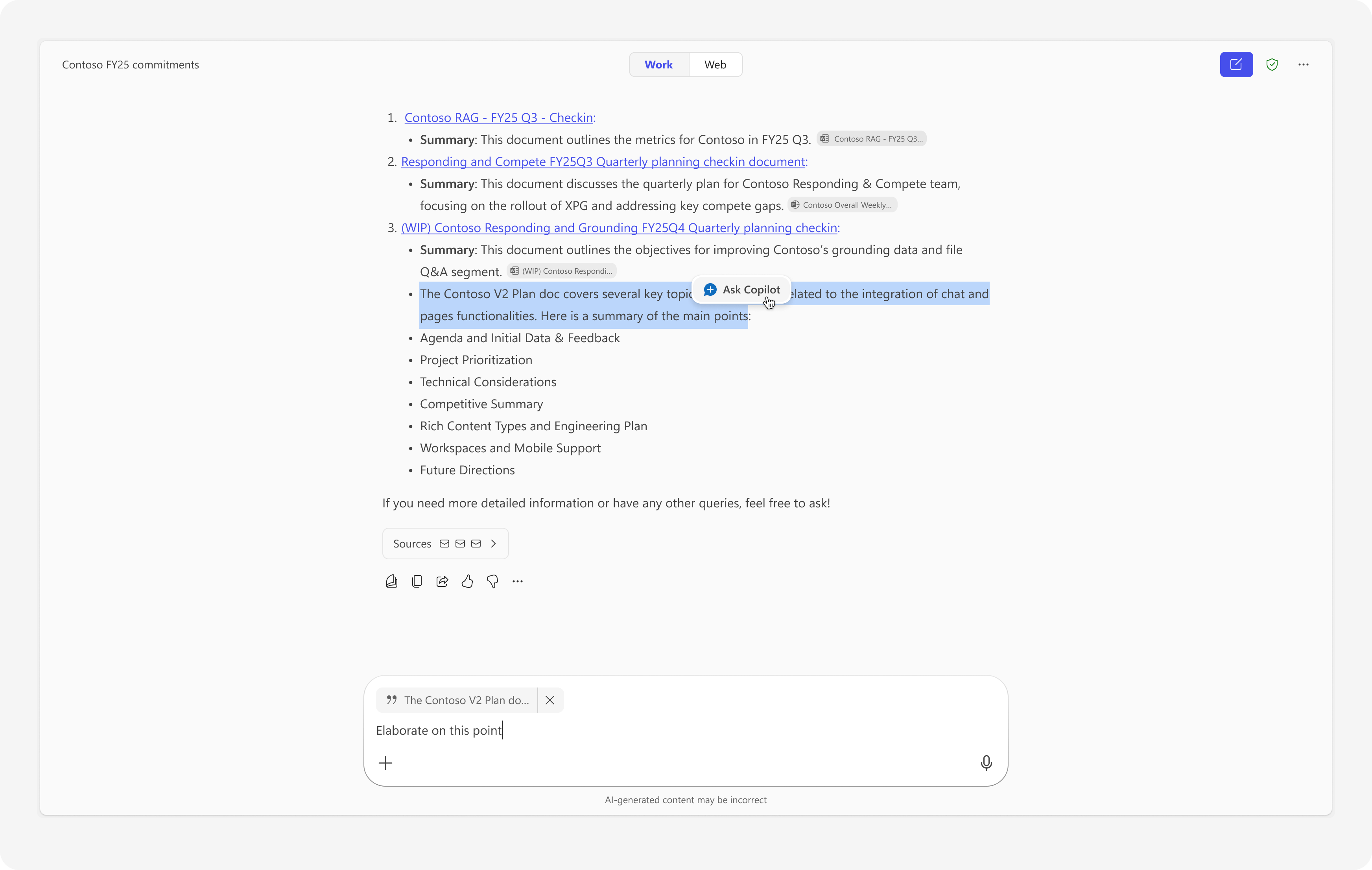
One of the most useful quality‑of‑life improvements this month is the ability to select specific text from Copilot’s responses and ask follow‑up questions on just that portion. When a user highlights part of an answer, an “Ask Copilot” button appears, letting them drill deeper into exactly the content they care about instead of re‑prompting from scratch. That makes Copilot feel less like a one‑shot question box and more like an interactive research partner.
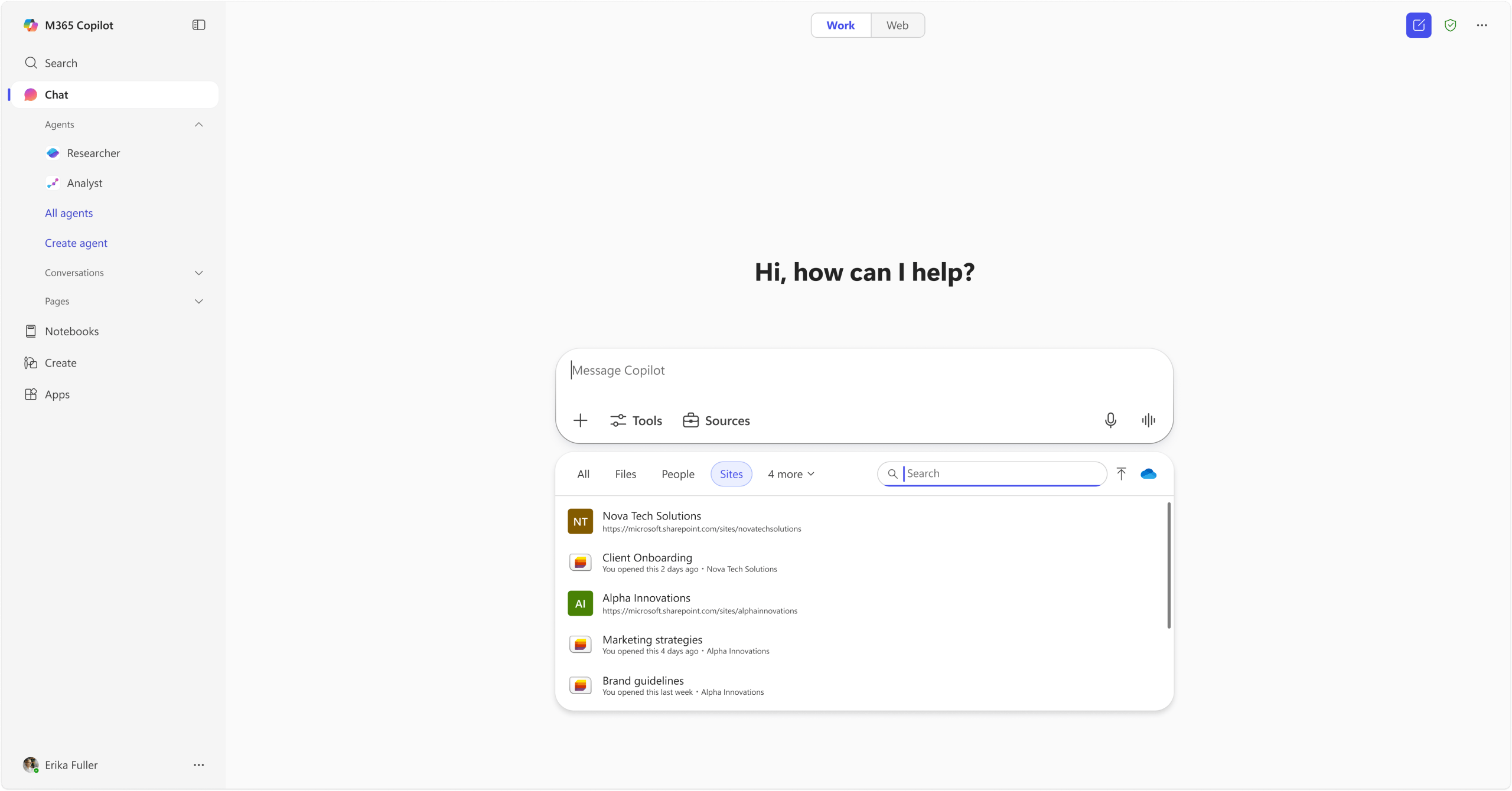
Grounding gets a major upgrade as well. Users can now ground Copilot prompts directly on SharePoint lists or sites when using Copilot Chat in work mode. Typing “/” in the prompt box lets them pull in specific SharePoint sites or lists, bringing structured organizational data straight into the AI’s context. For teams that live in lists for tracking projects, assets, or requests, this is a big step toward getting precise, data‑driven responses instead of generic summaries.
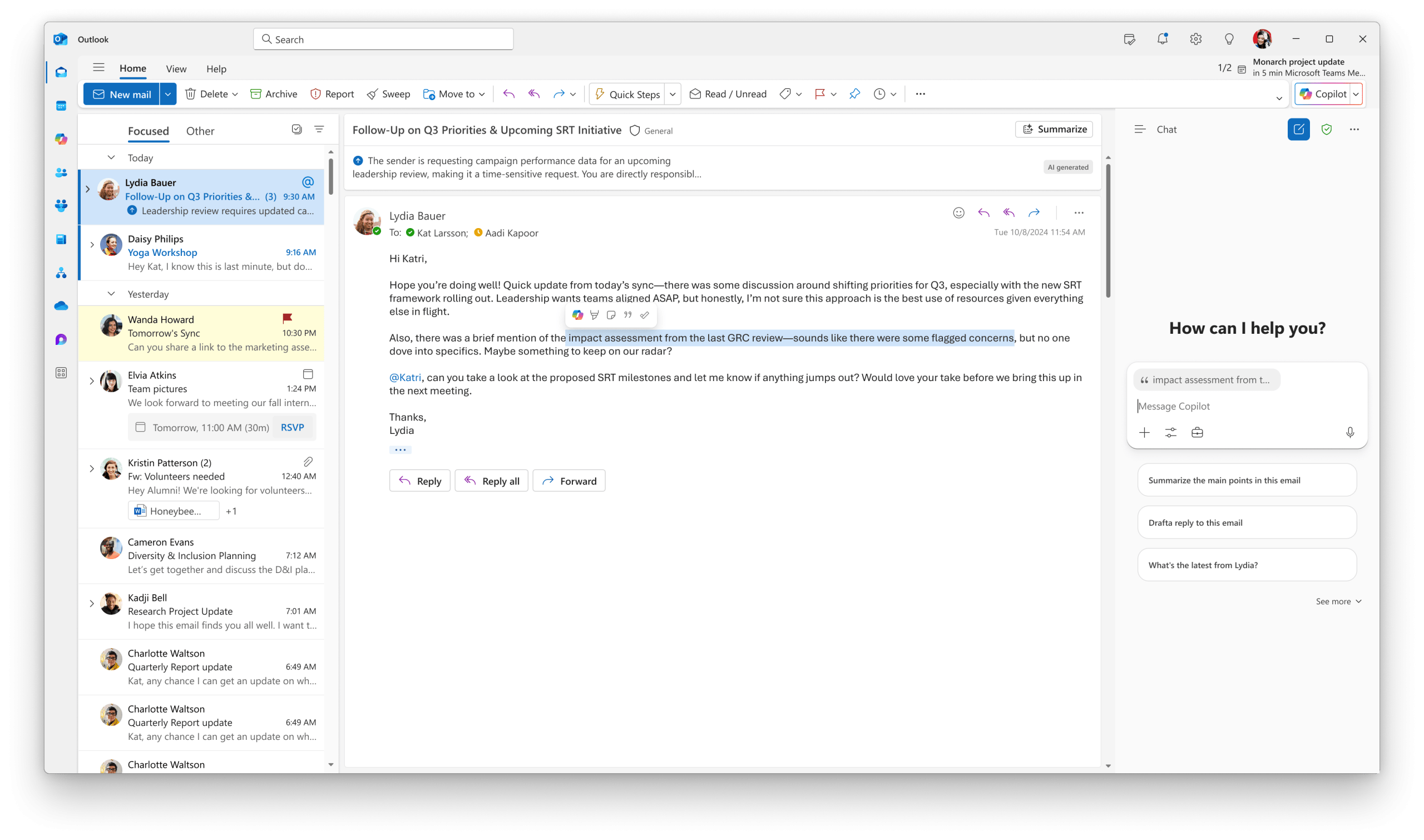
In Outlook, users without a Microsoft 365 Copilot license still get smarter behavior when using Copilot Chat alongside an open email. Copilot automatically grounds the chat in the open email, and if a user highlights just a portion of the message, Copilot uses only that selection as context—clearly indicated in the prompt box by the email subject or highlighted text. This reduces copy‑paste friction and helps users trust that Copilot is “looking at” the right thing.
Copilot app gets agents, integrations, and mobile widgets
Microsoft is also expanding what the standalone Copilot app can do by leaning into agent‑based workflows and richer integrations.
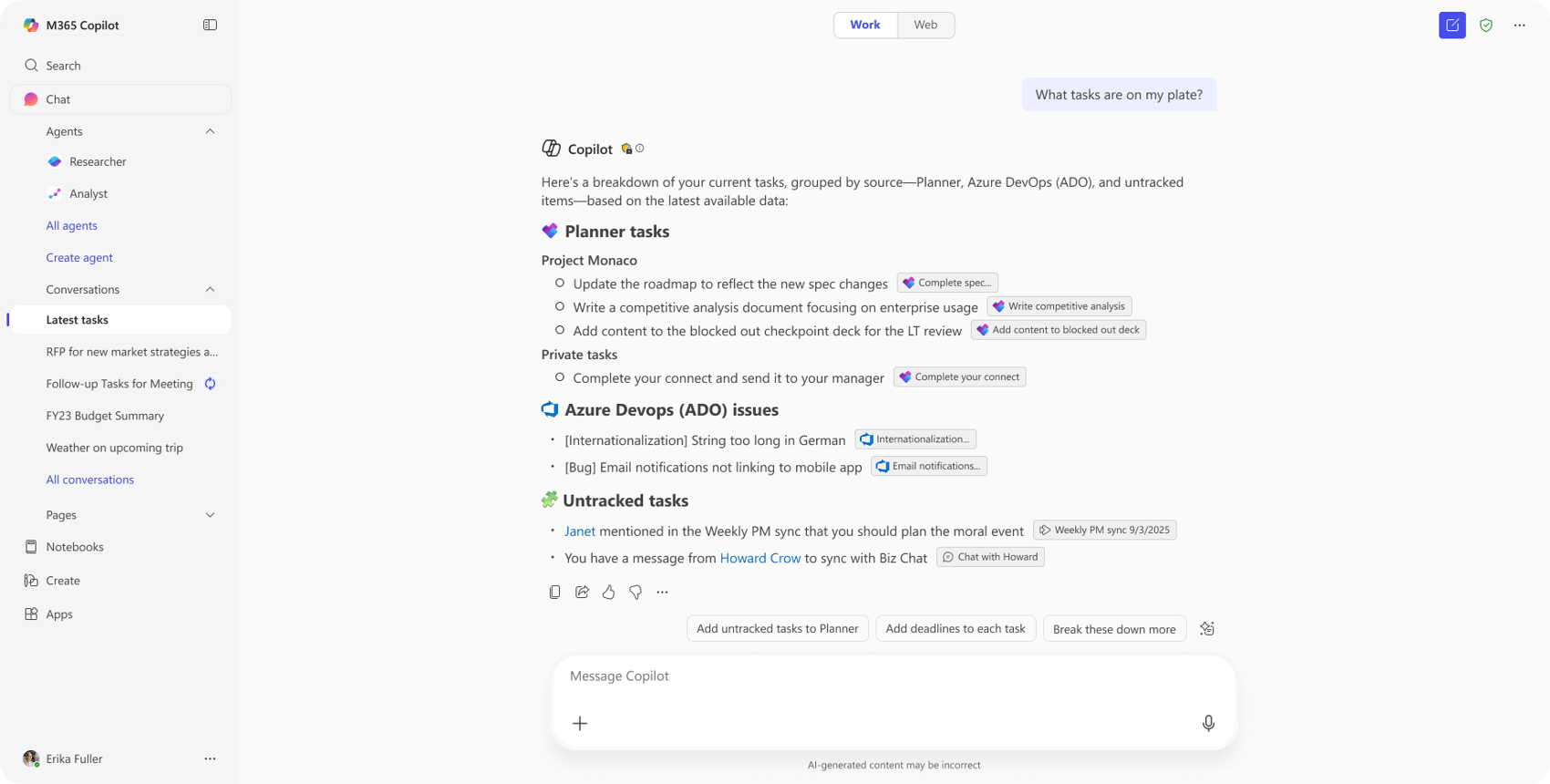
A new Project Manager Agent gives users AI‑assisted project tracking and task management, starting with core planning capabilities and expanding over time. The idea is simple: instead of manually juggling task lists, status updates, and follow‑ups, users can rely on an AI agent that understands the project’s structure and history and helps keep everything on track.
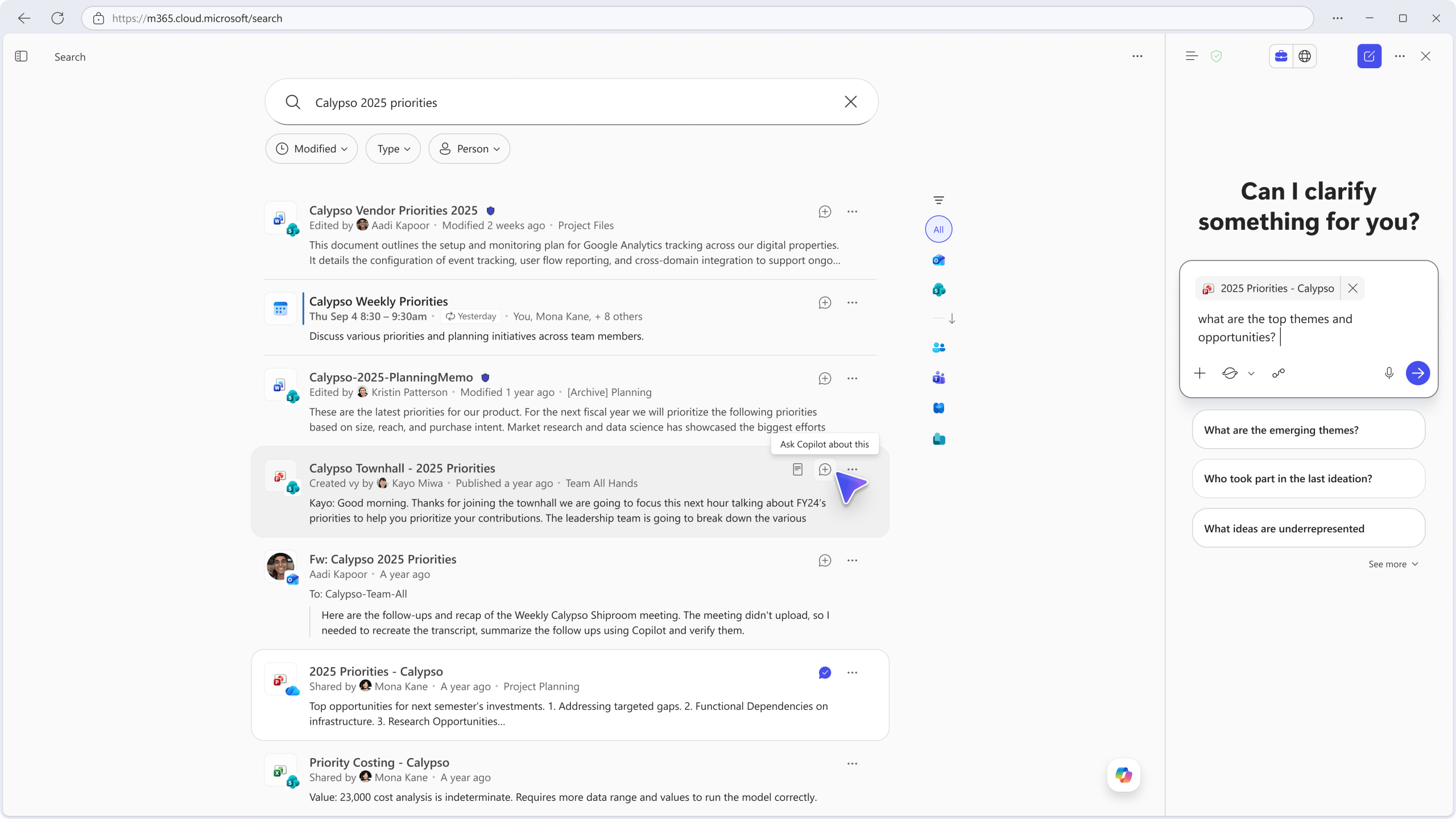
Copilot Chat is now integrated with Copilot Search, letting users view search results and chat with Copilot in the same pane. You can refine queries, ask detailed questions about the results, and get AI‑driven explanations without bouncing between multiple experiences. That’s a straightforward productivity boost for knowledge workers who spend their day in browser tabs and search windows.
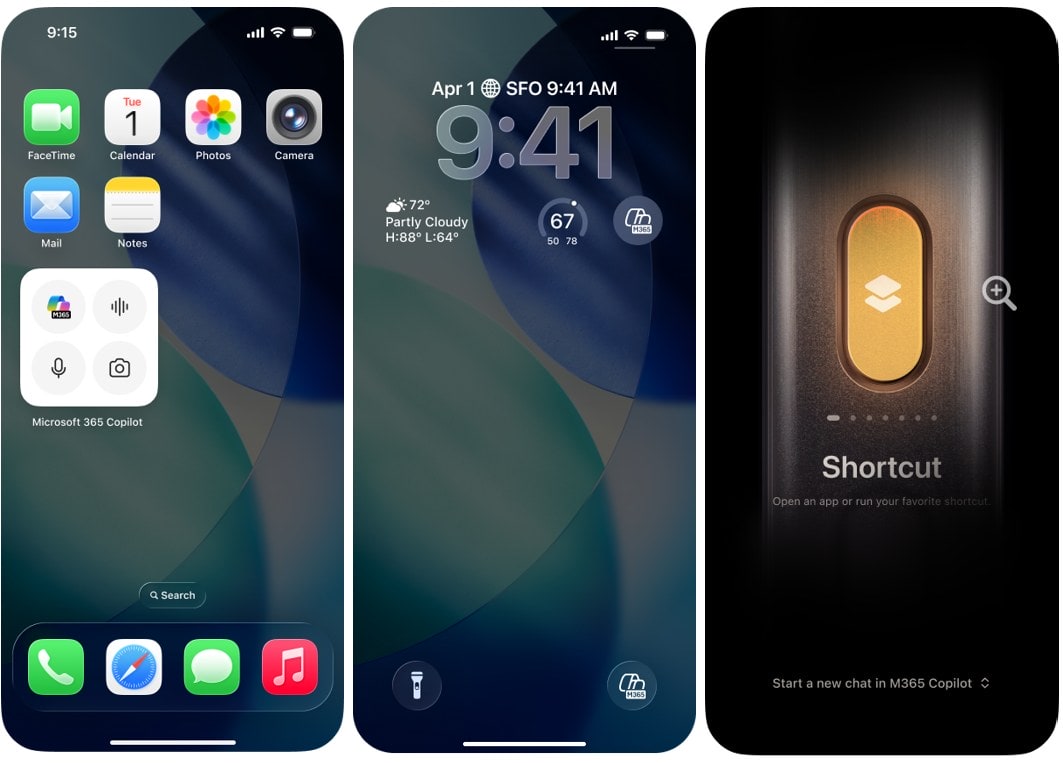
On mobile, Copilot widgets and an action button on iOS and Android bring Microsoft 365 Copilot to the Home and Lock screens. With one tap, users can start a chat, initiate a voice conversation, or open the camera to attach a photo into Copilot Chat. For anyone who uses Copilot to brainstorm on the go or capture quick ideas, this reduces a lot of friction compared to opening a full app and navigating menus.
Microsoft is also layering in brand control: users can now create brand kits within the Create experience by uploading their organization’s brand guidelines. Copilot then extracts colors, fonts, and style elements so generated content aligns automatically with corporate branding—no more constant manual tweaking just to stay on brand. To round it out, email attachment search via Copilot makes it easier to find files attached to emails across Outlook and SharePoint filters, putting attachments on equal footing with other content in search and Copilot experiences.
Teams: agents in communities and smarter meeting recaps
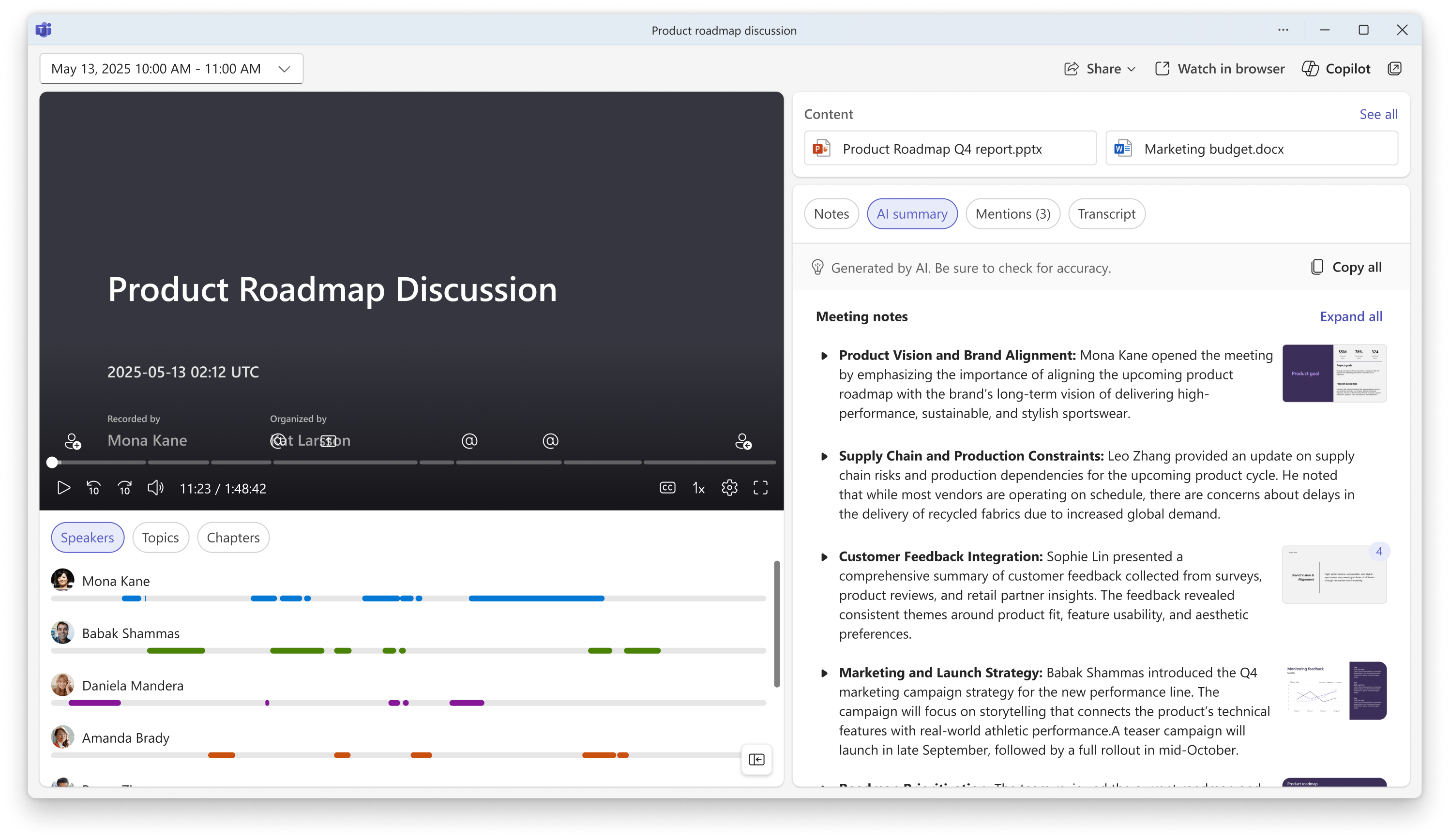
Teams continues to be a major focus area for Copilot, and February’s update brings both community‑focused features and better meeting recaps.
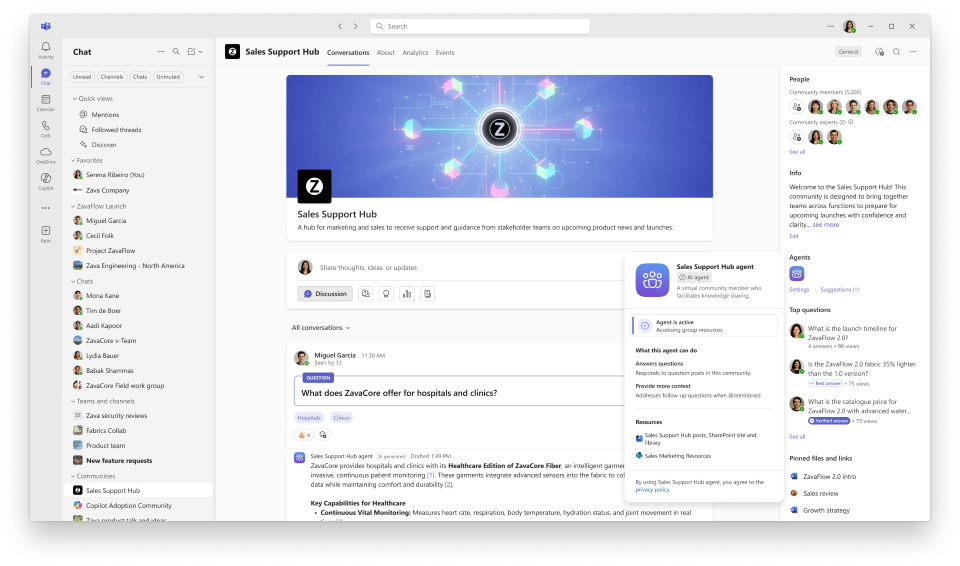
Agents in communities are now available in Microsoft Teams, turning community discussions into reusable knowledge. The agent can draft suggested responses for unanswered questions using existing conversations and designated SharePoint sites as context. For large organizations running internal communities for leadership Q&A, technical forums, or interest groups, this helps avoid “question fatigue” by surfacing consistent, informed answers.
Meeting recaps get significantly richer as well. AI summaries now include key visuals captured during screen sharing, placing those snapshots alongside the relevant sections of the summary. Instead of scrubbing through an entire recording to see what was on screen for a specific decision, users can glance at the recap and immediately connect the discussion to the visual that drove it.
New customizable recap templates give teams more control over how those summaries are structured. Users can choose a Speaker Summary, which organizes insights by participant, or an Executive Summary that focuses on key takeaways. They can also define custom templates with a simple free‑text description or paste in an existing format, then reuse those templates across future meetings. This keeps recaps aligned with how specific teams actually work, rather than forcing everyone into a single generic format.
The Copilot experience in Teams meetings is also aligning with the broader Copilot Chat model. Copilot in meetings can analyze chat history, transcripts, and calendar data to generate smart recaps, rewrite messages, and surface relevant insights based on what you’re trying to accomplish. That unified experience reduces context switching and makes Copilot feel consistent across chats, channels, and meetings.
Outlook: smarter scheduling, prep, and meeting analytics
Outlook gets several Copilot improvements that target a familiar pain point: meetings.

When scheduling meetings via Copilot Chat, Copilot can now recommend time slots that maximize attendee availability, automatically expanding the search window when no obvious time works. It explains why specific times are suggested and visually shows options in the context of the broader schedule, while respecting working hours, time zones, and personalized preferences.
Users can also trigger meeting scheduling directly from an email thread with a “Schedule with Copilot” option. Copilot then finds available times, books rooms, drafts an agenda, and sends invites within a guided chat flow. In classic Outlook, Copilot can help with meeting preparation by bringing real‑time insights, context summaries, and relevant documents into one place so users can arrive better prepared.
One standout feature is meeting time analytics. Users can ask Copilot questions like “How much time did I spend in meetings last month?” or “Compare my meeting time month‑by‑month by category,” and Copilot generates visual breakdowns and charts. This gives individuals more control over their schedules without requiring extra reporting tools.
Word and PowerPoint: Copilot moves into “always‑on” mode

In Word, Copilot now edits documents by default in the main chat experience. Instead of toggling modes, users can let Copilot directly change the document, with every modification remaining reviewable and reversible. If needed, users can turn this off, but the default is designed to keep them in a continuous AI‑assisted flow.
Users can also prompt Copilot on a blank document and automatically start in “Edit with Copilot” mode. That makes it easier to go from a blank page to a working draft without manually configuring anything.
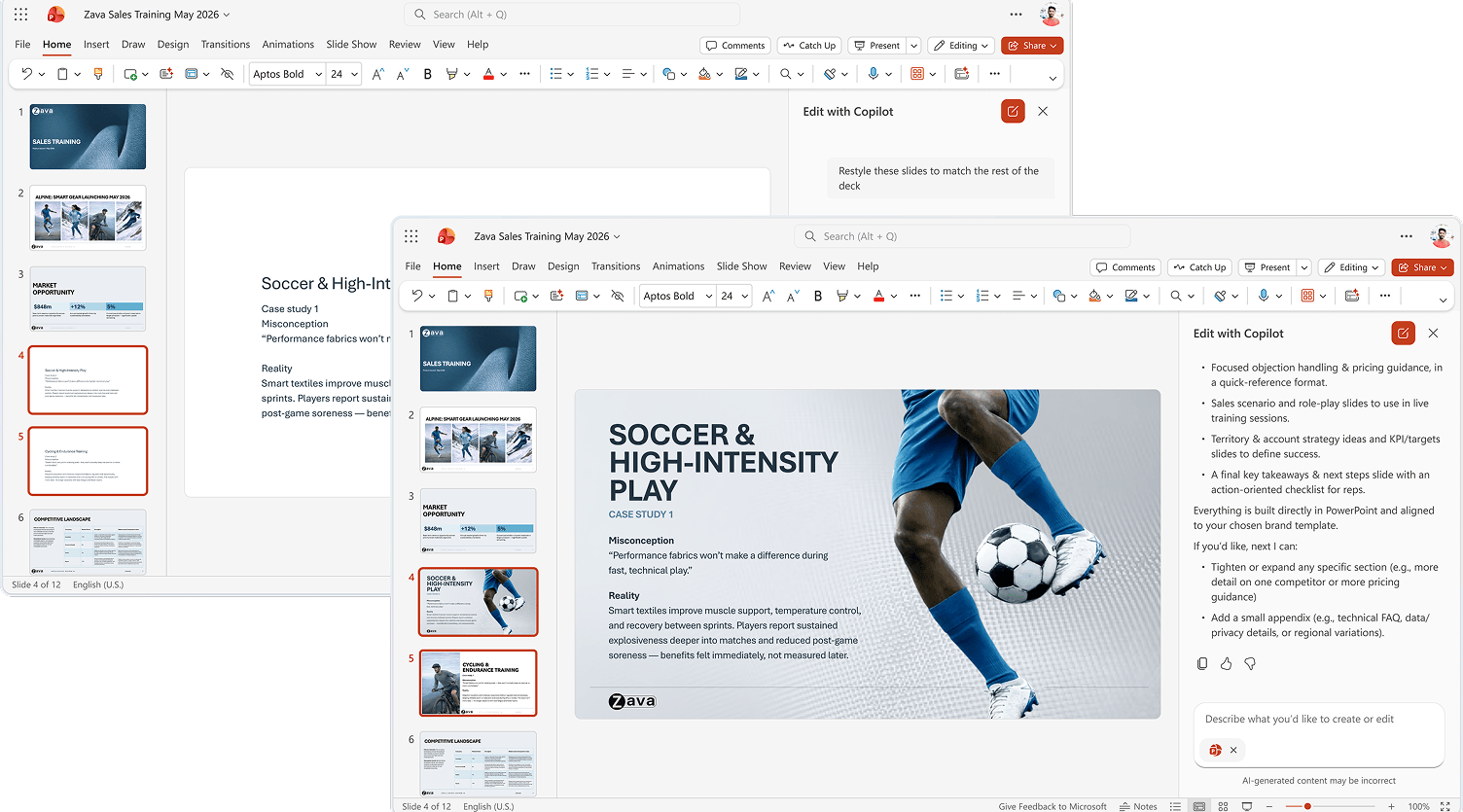
In PowerPoint on the web, Copilot is now agentic, meaning users can drive end‑to‑end presentation work through natural conversation. Copilot can create new slide decks or refine existing ones, generate content, tweak layouts, and polish design while preserving structure and branding. It pulls from files, meetings, emails, and more to build presentations, and it connects to brand kits so slides stay on‑brand with approved images and templates.
Agents in OneDrive and multi‑agent coordination
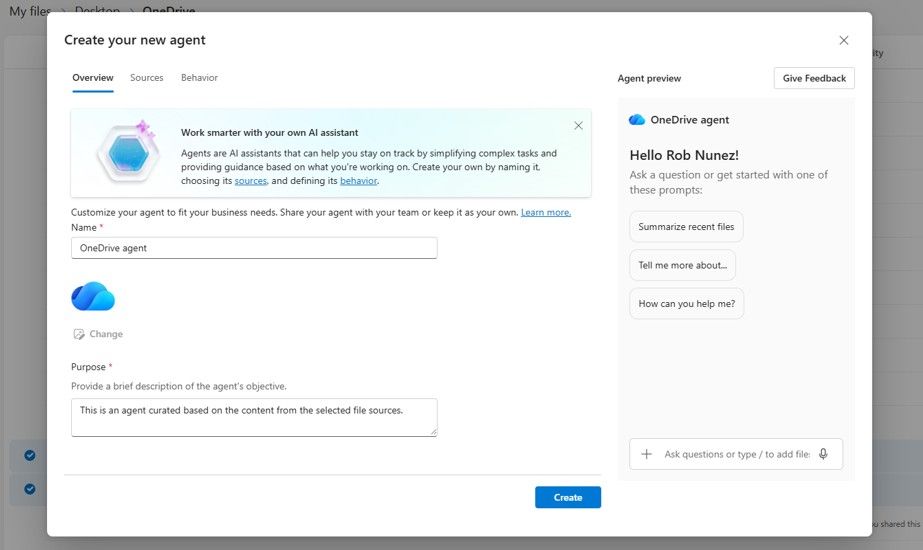
OneDrive now supports agents that can operate over sets of related files like documents, specs, research, and meeting notes. Instead of repeatedly asking Copilot about each file, users can spin up an agent that understands the entire collection and answers questions using that shared context. In practice, it works like an AI teammate that “knows” a project’s document universe.
Under the hood, Microsoft is also expanding agent grounding, access, and coordination. Agent Recommendations proactively suggest relevant agents during Copilot conversations based on context, which should help drive adoption without users needing to hunt around for the right agent. Adaptive Card content can be refreshed in custom engine agent experiences, making those agents more dynamic and real time.
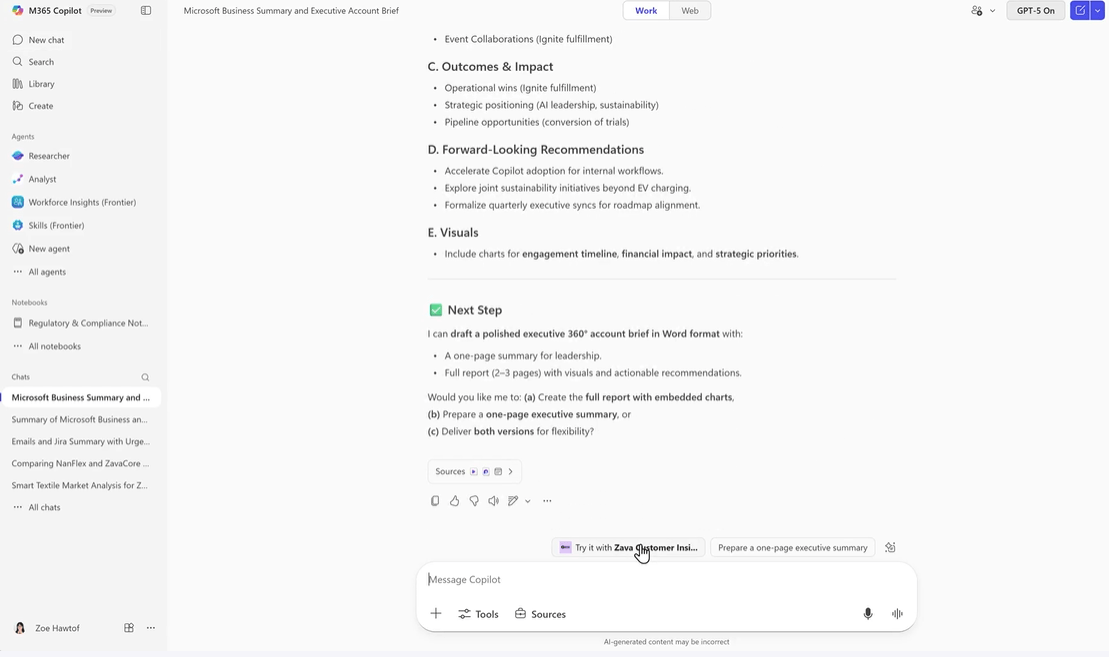
Most interestingly, AI agents can now coordinate with each other by calling other agents as tools, enabling multi‑agent workflows for more complex tasks. Newly created declarative agents can ground answers in scanned PDFs and image‑based documents stored in SharePoint, unlocking a large set of previously hard‑to‑use legacy content. Access to agents built with Copilot Studio and Foundry is also coming into Outlook, so users can reach custom agents directly in their inbox.
Admin and security: dashboards, readiness, connectors, and risk
On the IT side, Microsoft is rounding out the Copilot story with better adoption analytics, admin controls, and security posture.
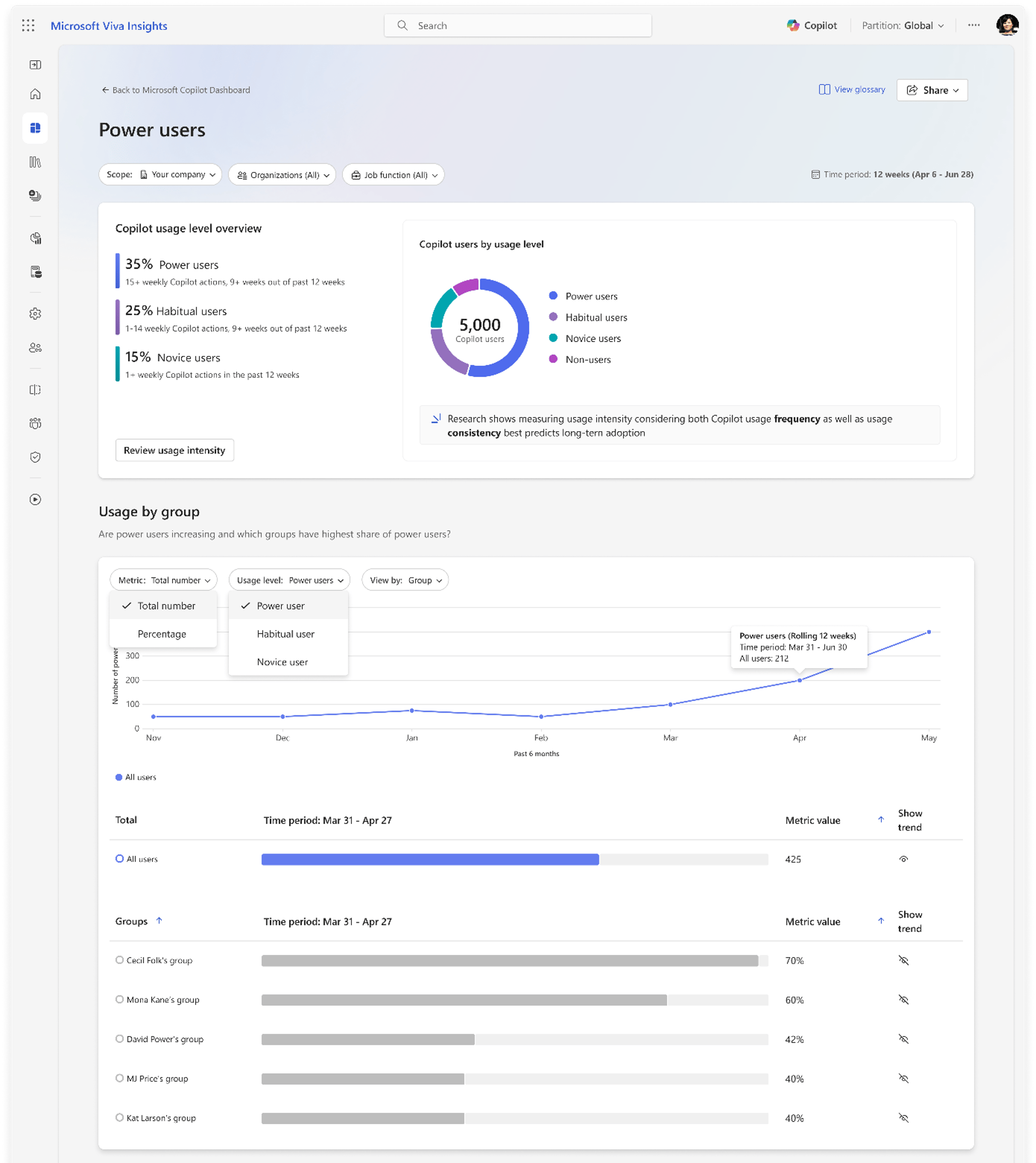
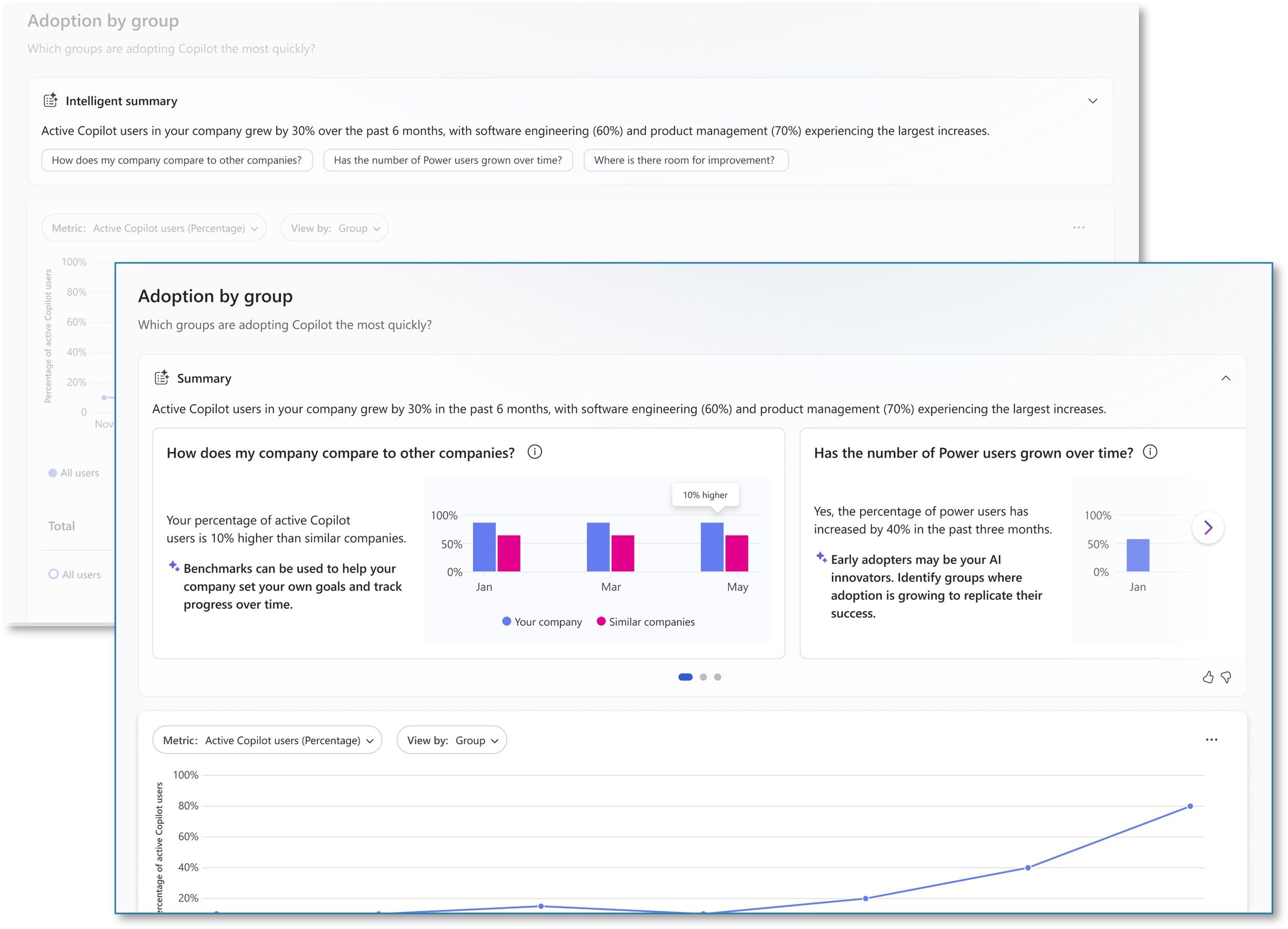
The Copilot Dashboard now includes a Power User Report that classifies users as power, habitual, novice, or non‑users based on Copilot usage frequency and consistency. Intelligent summaries highlight key adoption trends and suggest prompts for deeper analysis, helping admins focus on what’s working and where more training or change management is needed.
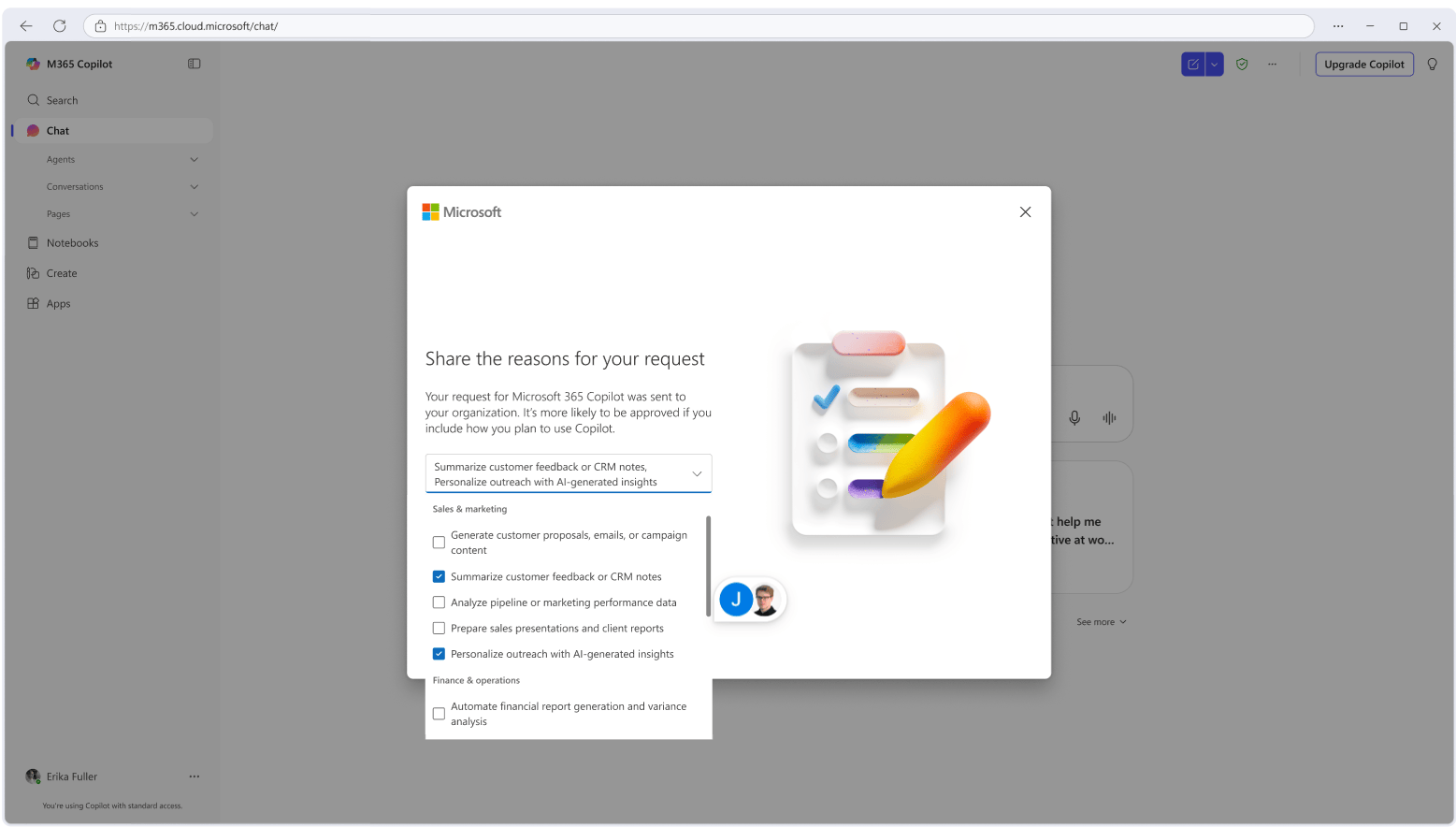
A new Copilot readiness page in the Microsoft 365 admin center organizes deployment essentials, data security, and user experience settings into a single flow. Admins can see completion status, user coverage, and recommended actions, making Copilot rollouts more structured and repeatable.
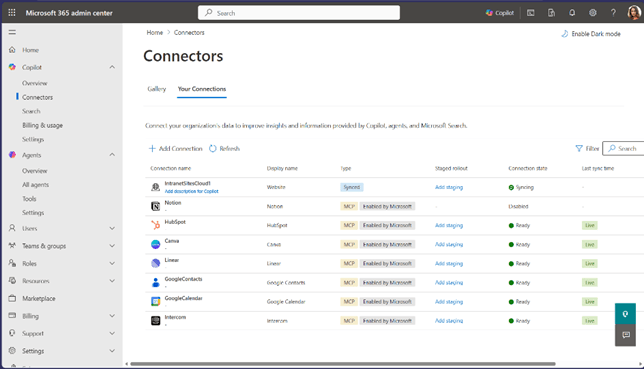
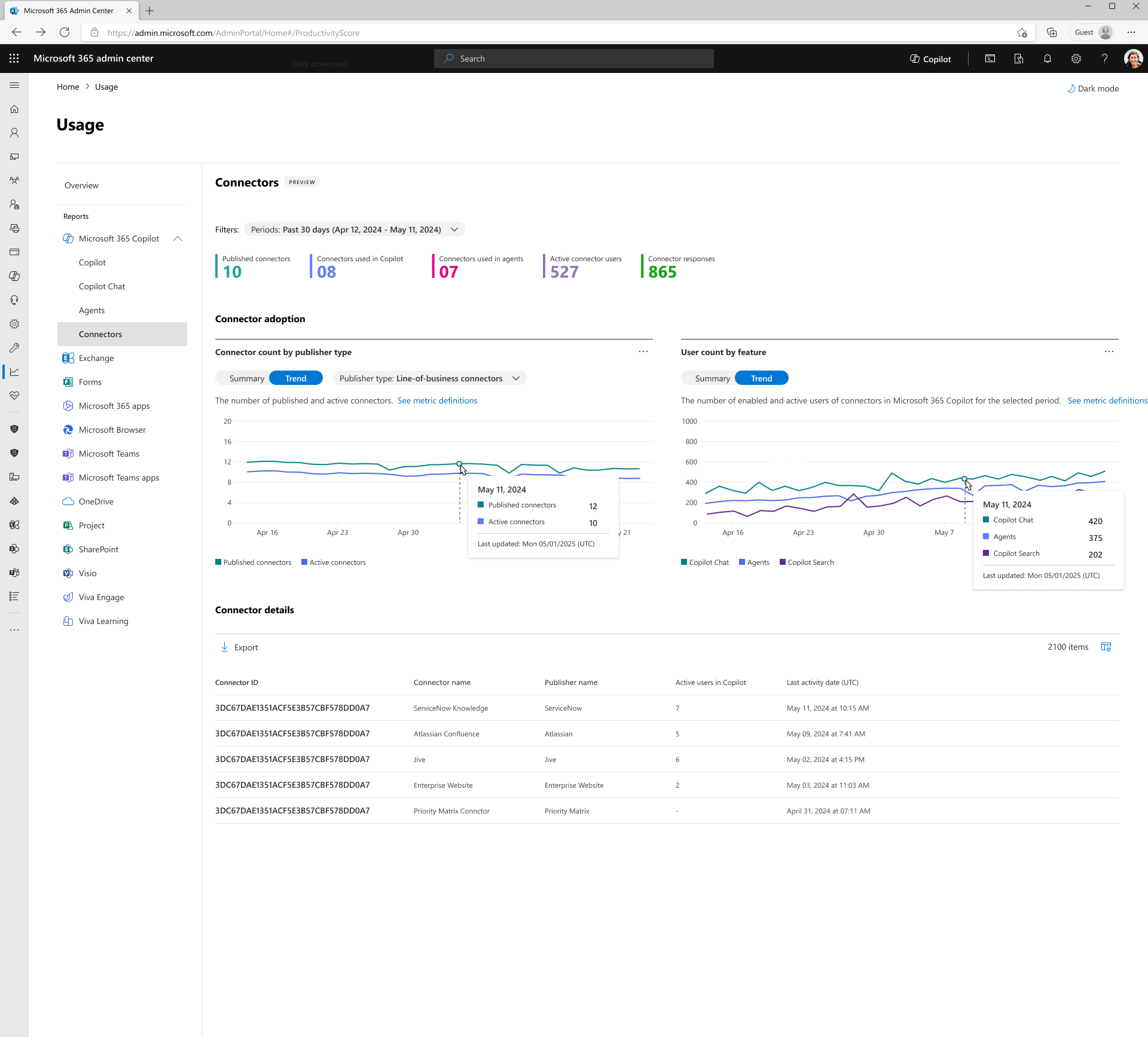
Federated Copilot connectors are now available in public preview by default across all tenants, allowing users to authenticate against external services like Canva, HubSpot, Notion, Linear, Intercom, Google Contacts, and Google Calendar. Admins manage these connectors from the Microsoft 365 admin center, and data is retrieved in real time rather than indexed, with current support focused on the Researcher agent. A Connector Usage Report helps admins understand which connectors are active, how often they’re used, and which agents depend on them.
Admins can also enable AI‑powered skill updates for user profiles, using Microsoft Graph activity to keep skills data up to date without manual maintenance.

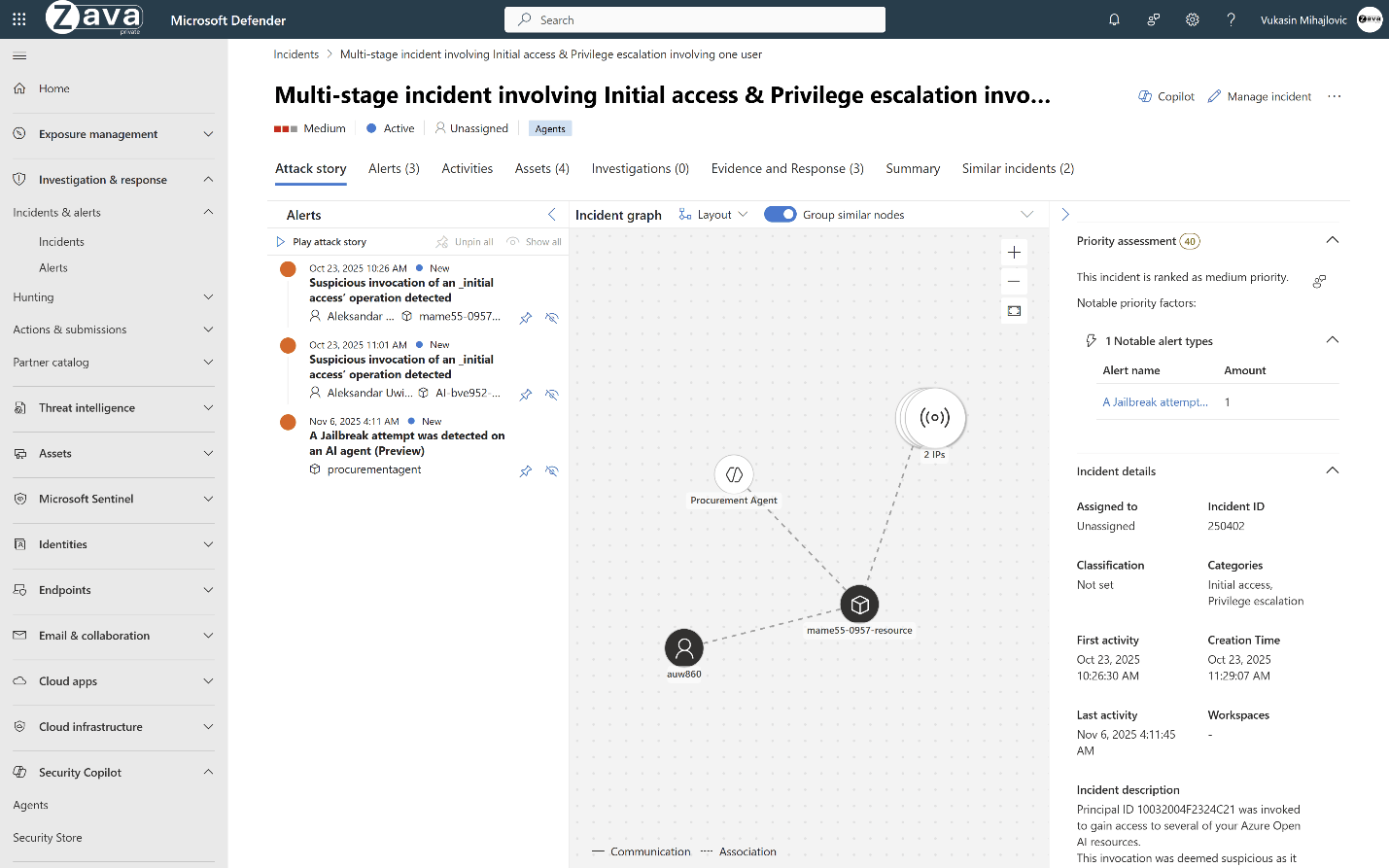
On the security front, Microsoft Defender AI Security Posture Management now provides a risk‑based inventory of AI agents across Microsoft Foundry and Copilot Studio, exposing misconfigurations, excessive permissions, and other vulnerabilities while capturing agent activity for investigation and hunting.
Microsoft 365 Copilot February 2026 Update
Overall, the Microsoft 365 Copilot February 2026 Copilot update is less about flashy demos and more about maturity: tighter grounding, richer agents, better admin and security controls, and deeper integration into the tools people already live in every day. For organizations that have been piloting Copilot, these changes make it much easier to scale adoption confidently—without losing control of data, risk, or user experience.
Recent Posts You Might Like
- What’s New in Microsoft Teams February 2026: Copilot Recaps, Trust Indicators, and Smarter Calling
- Microsoft and OpenAI double down on AI alliance despite new cloud partners
- Copilot Tasks unlocks powerful and seamless real-world action from Microsoft’s AI
- Microsoft Turns NVIDIA GTC 2026 Into an Exciting Showcase for Azure AI Factories and GPU Infrastructure
- Windows 11 KB5077241 Delivers Powerful Built‑In Taskbar Speed Test, Native Sysmon, and Faster Wake‑From‑Sleep
Discover more from Microsoft News Now
Subscribe to get the latest posts sent to your email.
