
Microsoft is turning 2026 into a major AI upgrade year for Microsoft 365, with Copilot becoming more powerful, more autonomous, and more deeply integrated into security, management, and everyday productivity apps. At the same time, Microsoft is using these new features to justify a global pricing update that will hit most commercial customers on July 1, 2026, making it crucial to understand exactly what “new AI value” is being added.
Copilot Chat becomes the AI front door

Microsoft’s December 2025 “Advancing Microsoft 365” announcement confirmed that Copilot Chat is now central to the Microsoft 365 experience and will keep gaining new capabilities throughout 2026. Copilot Chat already lives inside Word, Excel, PowerPoint, Outlook, and OneNote, but this year it becomes far better at understanding your inbox, calendar, and documents across Microsoft Graph.
-
Copilot Chat will be able to read your entire Outlook inbox and calendar context, help triage email, draft replies, and propose schedule changes based on your actual commitments.
-
In Word, Excel, and PowerPoint, Copilot Chat gets Agent Mode, allowing it to iteratively build documents, spreadsheets, and presentations using both your files and web data, instead of just answering one‑off prompts.
For end users, this moves Copilot from being a “smart assistant” to feeling more like a project partner that can carry a task from idea to finished artifact with far fewer manual steps.
Agent Mode and AI workflows across Microsoft 365
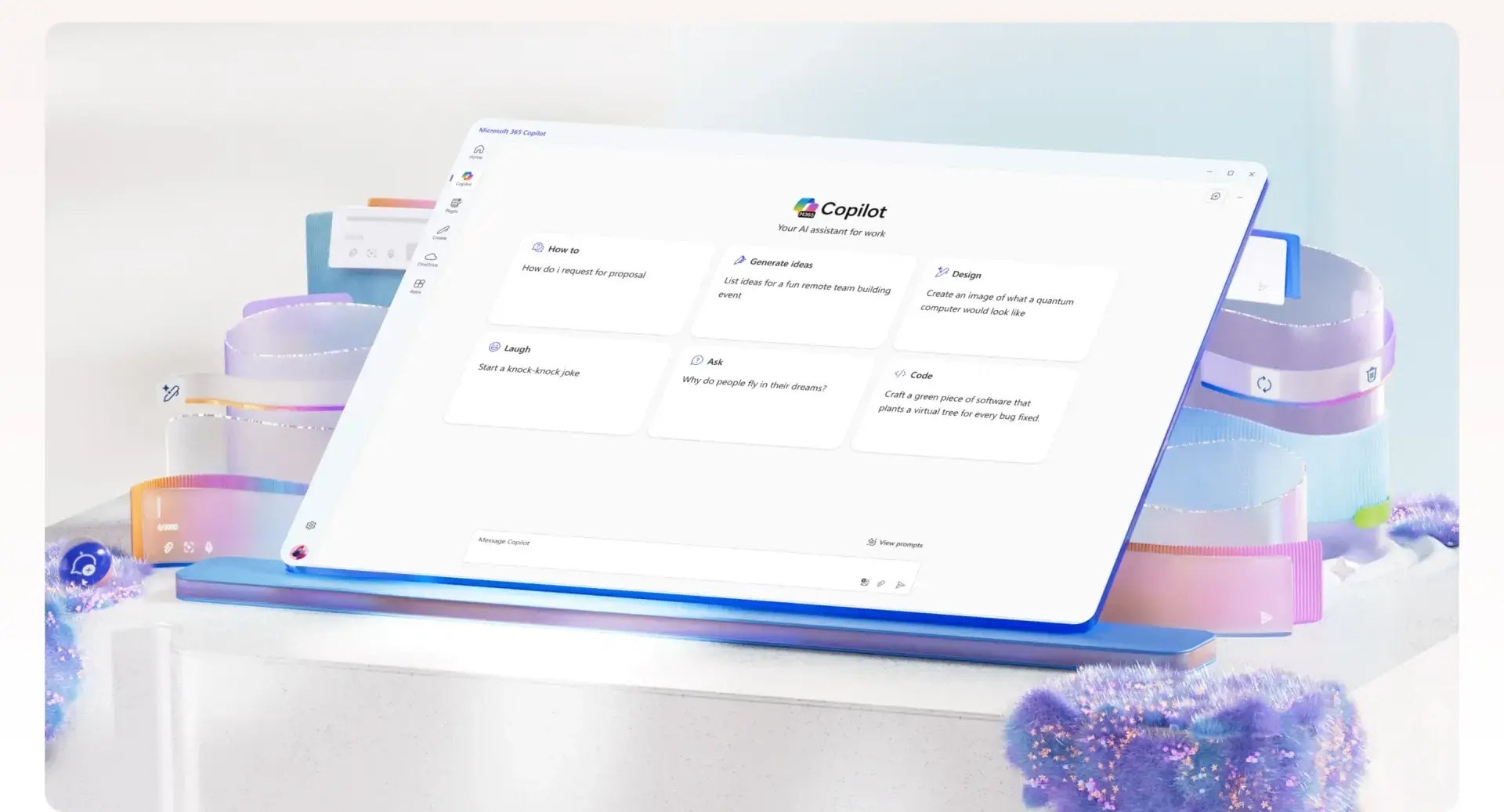
One of the biggest new AI stories for 2026 is the arrival and expansion of Agent Mode in Microsoft 365 Copilot, which starts rolling out in early 2026. Rather than just generating content, Copilot in Agent Mode can string together multiple actions across apps, guided by conversational instructions.
-
A user could ask Copilot to summarize recent customer emails, update a status report in Word, refresh a PowerPoint deck, and schedule a follow‑up meeting in Outlook, all from a single chat thread.
-
Behind the scenes, Agent Mode uses Microsoft Graph plus allowed web sources to pull data, draft content, refine it, and push updates into the right files and calendars without the user manually switching apps.
Independent analyses of the 2026 roadmap describe Agent Mode as the step where Copilot becomes a workflow engine, not just a text generator, particularly in sales, project management, and operations scenarios.
Security Copilot goes mainstream for E5
On the security side, Microsoft is turning Security Copilot into a core part of the Microsoft 365 E5 value proposition in 2026. Customers and partners report that Security Copilot will be included with Microsoft 365 E5 as part of the new capabilities that accompany the July 1, 2026 pricing changes.
-
Security Copilot taps into Defender, Intune, Entra ID, and Purview signals to create AI‑written incident summaries, attack timelines, and suggested remediation steps.
-
It also acts as an AI assistant for security teams, answering questions about alerts, policies, risky users, and configuration baselines based on the customer’s environment.
Several licensing and MSP guides stress that this effectively moves AI‑assisted SOC workflows from “nice‑to‑have add‑on” to standard E5 capability, which is a key part of Microsoft’s justification for higher suite prices.
AI enhancements in Defender, Intune, and email security
The 2026 changes go beyond a single Copilot SKU and touch Defender for Office, Intune, and other management tools with new AI‑driven behaviors. Microsoft and partner briefings outline a few concrete upgrades that land in 2026:
-
Defender for Office is gaining deeper AI‑based phishing and URL analysis, especially across Teams and email, with more sophisticated pattern detection for business email compromise and QR‑code or link‑in‑image attacks.
-
Intune is adding Remote Help and Advanced Analytics as part of E3/E5 value, with AI helping identify device risk, misconfigurations, and support trends across the fleet.
These enhancements mean that, even outside of the Copilot brand, Microsoft 365 is leaning heavily on AI to make security and endpoint management more proactive, reducing the need for admins to manually stitch together disparate telemetry.
Work IQ and AI‑driven productivity insights
Several Copilot‑focused consultancies and Microsoft partners highlight “Work IQ” as one of the more interesting upcoming AI additions for 2026. While branding may vary, the concept is consistent: using AI to analyze how people work across Microsoft 365 and surface insights that go beyond simple usage charts.
-
Work IQ‑style analytics look at meetings, documents, chats, and email to identify bottlenecks, over‑meeting issues, and risk of burnout or misalignment on key projects.
-
Copilot can then suggest concrete actions, like reducing recurring meetings, shifting status updates to asynchronous channels, or consolidating duplicate projects and documents.
For leaders, this turns Microsoft 365 into a kind of AI operations coach, not just a toolset, which lines up with Microsoft’s broader messaging about “AI helping teams work smarter, not just faster.”
AI in SharePoint, Teams, and Purview
The 2026 Microsoft 365 Roadmap and community trackers show multiple AI‑driven updates for content, collaboration, and compliance. These are some of the most notable:
-
SharePoint and OneDrive gain richer AI content understanding, which improves how Copilot finds and summarizes documents, recognizes related files, and surfaces the right pages inside Teams and Outlook.
-
Teams adds more powerful meeting and chat summarization, with Copilot using transcripts, reactions, and shared files to produce follow‑up notes, action items, and suggested replies.
On the compliance side, Microsoft Purview introduces or expands AI‑aware features that help track how Copilot is used with sensitive data and classify AI‑generated content. This lets compliance officers better audit and govern AI‑driven activity in regulated environments.
New Copilot readiness and pay‑as‑you‑go models
Another 2026 change is how Microsoft helps customers adopt and pay for AI. Message Center and community posts describe:
-
Copilot Readiness Packages, which guide admins through environment assessments, permission hygiene, and data security checks before rolling out Copilot broadly.
-
A pay‑as‑you‑go model in the Microsoft 365 admin center for Backup and Copilot, allowing organizations to track usage, allocate budgets, and scale AI consumption more like cloud infrastructure.
These moves are clearly designed to lower rollout friction while giving IT more control over where and how AI is switched on, especially in mixed or cost‑sensitive environments.
Why all this AI matters for 2026 pricing
Microsoft’s own blog post spells out that these AI, security, and management additions are directly tied to the July 1, 2026 Microsoft 365 price increases. Independent licensing analysts report that most suites will see 5–33% list price increases, with particularly large jumps for Frontline SKUs like F1 and F3.
-
Microsoft argues that more than 1,100 features were added over the last year, and that 2026 brings another wave of Copilot Chat upgrades, Security Copilot, Defender for Office enhancements, extra mailbox storage for Business plans, and new Intune capabilities.
-
For customers, the real question becomes whether they can activate and actually use the new AI‑driven features in time to feel like the upcoming price changes deliver value instead of just cost.
For IT leaders, 2026 is the year to treat AI as part of the core Microsoft 365 deployment, not an experiment on the side. That means planning Copilot rollouts, security integrations, and user training now so that when the pricing changes hit in July, employees are already relying on these AI‑driven features in their daily work.
Recent Posts
- Microsoft Acquires Osmos to Bring Agentic AI to Fabric and Make Autonomous Data Engineering Faster and More Efficient
- Xbox Game Pass January 2026: Star Wars Outlaws, Resident Evil Village, and a Galactic Start to the New Year
- Microsoft’s ‘Microsoft 365 Copilot App (Formerly Office)’ Rebrand Has Twitter/X Completely Confused
- Microsoft Enforces Critical MFA for Volume Licensing Central Access Starting January 5, 2026
- Microsoft Partner Alert: Legacy MCA Attestation API Retires Today, January 5: Here’s What Happens If You’re Not Ready
Discover more from Microsoft News Now
Subscribe to get the latest posts sent to your email.
