

Microsoft is tightening browser security with a new set of Edge for Business updates aimed at one of the fastest-growing enterprise risks right now: shadow AI. The company says the browser has become a major security boundary as more work moves into web apps and AI tools, and its RSAC 2026 announcements are focused on protecting data without getting in the way of productivity.
In a Microsoft blog post published March 23, 2026, the company outlined stronger Edge for Business protections for AI usage, browser-based work, and sensitive data handling. Microsoft’s pitch is straightforward: let employees use AI more freely, but keep enterprise controls in place so confidential information does not leak through unsanctioned tools.
One of the biggest updates is support for shadow AI protection, which targets employees who paste sensitive data into consumer AI tools without approval. Microsoft says those prompts and file uploads can now be audited or blocked inline with Purview-powered data loss prevention inside Microsoft Edge for Business. If a prompt is blocked, the user gets a policy message and can be redirected to Microsoft 365 Copilot, where enterprise data protection applies.
That is a smart middle ground for companies that do not want to ban AI outright. Microsoft is clearly trying to prevent data leaks while still letting workers use AI tools in ways that feel natural and useful. The company says these protections work even when devices are unmanaged, as long as the user is signed into Edge for Business with an Entra ID.
AI browsing gets safer
Microsoft is also expanding its browser-based AI features with Agent Mode, multi-tab reasoning, and YouTube summarization. The company says multi-tab reasoning can analyze content across up to 30 tabs, including websites, PDFs, and Microsoft 365 apps, while Agent Mode is designed to automate multi-step tasks. These features are meant to reduce manual work and help users move faster without leaving the browser.
At the same time, Microsoft is adding controls that keep IT in charge. Existing DLP policies automatically apply to the new contextual and agentic browsing features, and Agent Mode is enabled by IT, restricted to approved sites, and built with visual indicators so users can see when the browser is taking action. Microsoft also says Agent Mode cannot access saved passwords or payment methods, which should reduce the risk of unsafe autonomous actions.
The result is an enterprise AI browser that tries to balance speed and control. Microsoft is betting that companies will adopt more AI if the tools are already wrapped in governance, visibility, and policy enforcement. That approach fits the broader trend of moving security closer to where work actually happens instead of relying only on perimeter tools.
Outlook gets browser protection
Microsoft is also closing a long-standing gap in browser-based email protection. The company says Outlook on the web will now honor Microsoft Purview Information Protection labels when users access it through Edge for Business. That means emails with sensitivity labels can have copy restrictions, screenshot blocking, and print restrictions enforced directly in the browser.
This matters because browser-based email has often been harder to protect than desktop apps. Microsoft says these protections extend the same label enforcement already available in Word, Excel, and PowerPoint Online, which makes the browser behave more like a secure extension of the Microsoft 365 environment. The feature is available with a Microsoft 365 E5 license and requires turning on the appropriate setting in the Edge management service.
For enterprises that lean heavily on web mail, this is a practical upgrade. It helps prevent users from bypassing compliance controls just because email is being read in a browser instead of an app. That kind of gap may seem small, but in a large organization it can become a serious data protection issue.
More security partners
Microsoft is also widening Edge for Business support for third-party security tools. Through its security connector framework, the company says organizations can extend existing controls into the browser instead of adding another isolated management layer. That should make adoption easier for companies already invested in outside security platforms.
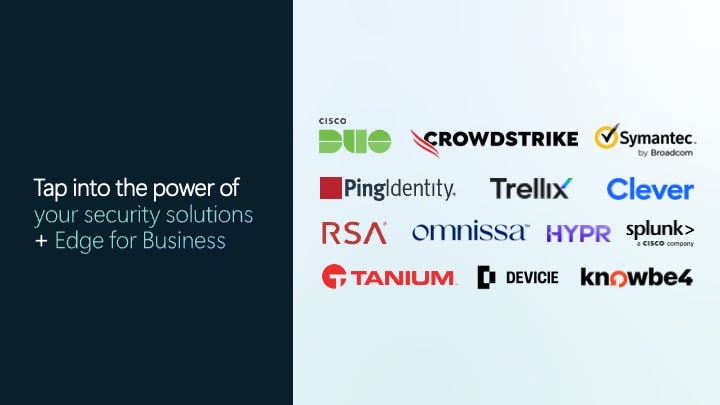
The newest partners include Clever, Devicie, and Trellix. Clever focuses on trusted device logins in education, Devicie adds telemetry and extension insights, and Trellix applies DLP endpoint policies inside Edge for Business. Microsoft also said reporting connectors for iOS and Android are on the way, which will help extend visibility to mobile browsing events.
That broader connector model is important because it makes Edge for Business feel less like a standalone browser and more like part of an enterprise control plane. For IT teams, that means existing security investments can keep working while browser-based work becomes more central to daily operations.
Why Microsoft Edge for Business matters
The bigger story is that Microsoft is treating the browser as one of the most important places to secure AI use. As more workers use web apps, AI copilots, and browser-based workflows, the browser is no longer just a way to access work — it is where the work happens.
Microsoft’s RSAC 2026 updates show a clear direction for Microsoft Edge for Business: more AI features, more built-in protections, and more integration with Purview and partner security tools. Instead of forcing companies to choose between AI adoption and data protection, Microsoft is trying to give them both in one browser. That is a compelling pitch for any enterprise trying to move faster without taking on more risk.
