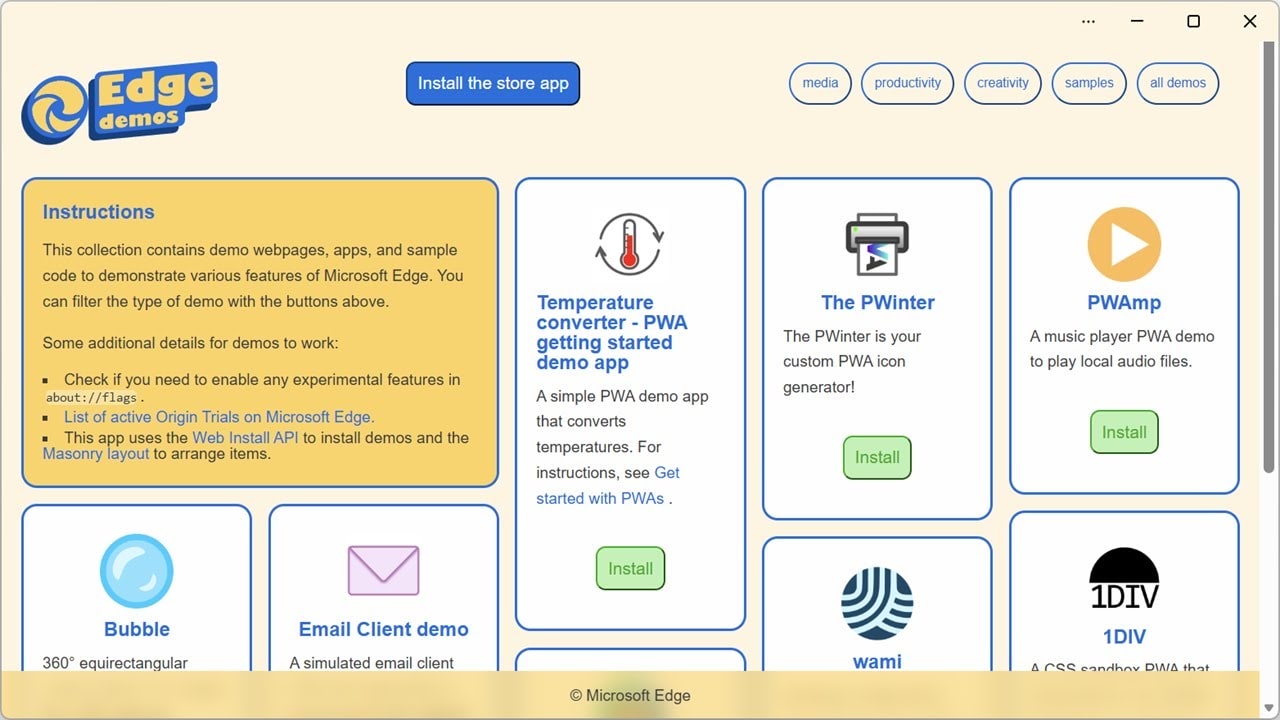

Microsoft Edge is giving web developers a powerful new way to drive Progressive Web App (PWA) installs directly from their own UI with the new Web Install API, now live as an origin trial in Microsoft Edge 143–148 on Windows, macOS, and Linux. The feature lets sites call an asynchronous navigator.install() method to trigger the browser’s native installation flow for other web apps, opening the door to cleaner install experiences and web-first “app store” scenarios.
Web Install API: what it is
The Web Install API is an experimental web platform feature that lets your site ask Microsoft Edge to install web applications via a promise‑based navigator.install() call. Instead of relying solely on browser heuristics or the beforeinstallprompt event, your UI can invoke the built‑in PWA installation flow exactly when it makes sense to do so, while Edge still owns the final prompt and permissions.
The API supports multiple call patterns that can either install the current app or point to another app’s manifest, which is what enables catalog and store‑like experiences. In practice, this means a single “Install” button in your design can reliably kick off the install dialog for your own PWA or another PWA you showcase, without custom browser‑specific hacks.
Why this matters for PWAs and “web app stores”
By putting installation behind a standard JavaScript API, Microsoft is trying to make PWA installs feel more like app store installs while keeping the browser in control. Sites that ship a suite of apps can now offer consistent “Install all” or “Install companion app” flows, and aggregators can build curated PWA catalogs that install apps in a trustworthy way.
This also simplifies UX for developers who today juggle events, banners, and custom prompts to get users to install their apps. With navigator.install(), installation becomes a first‑class user action you can tie to a button, menu, or recommendation section, while Edge handles the heavy lifting of permissions, confirmation, and actually registering the app.
Where and when you can test it
The Web Install API is shipping as an origin trial in Microsoft Edge starting with version 143 and running through version 148. At the time of the announcement, Edge 143 is available in the Beta channel and is expected to roll into the Stable channel in early December, meaning the feature will soon be in front of a much broader audience.
The origin trial works on Windows, macOS, and Linux, so cross‑platform PWA developers can validate behavior across desktop environments. Because the trial is tied to specific versions, Microsoft is clear that this is a time‑boxed experiment intended to gather feedback before the API design is finalized.
How to enable the origin trial on your live site
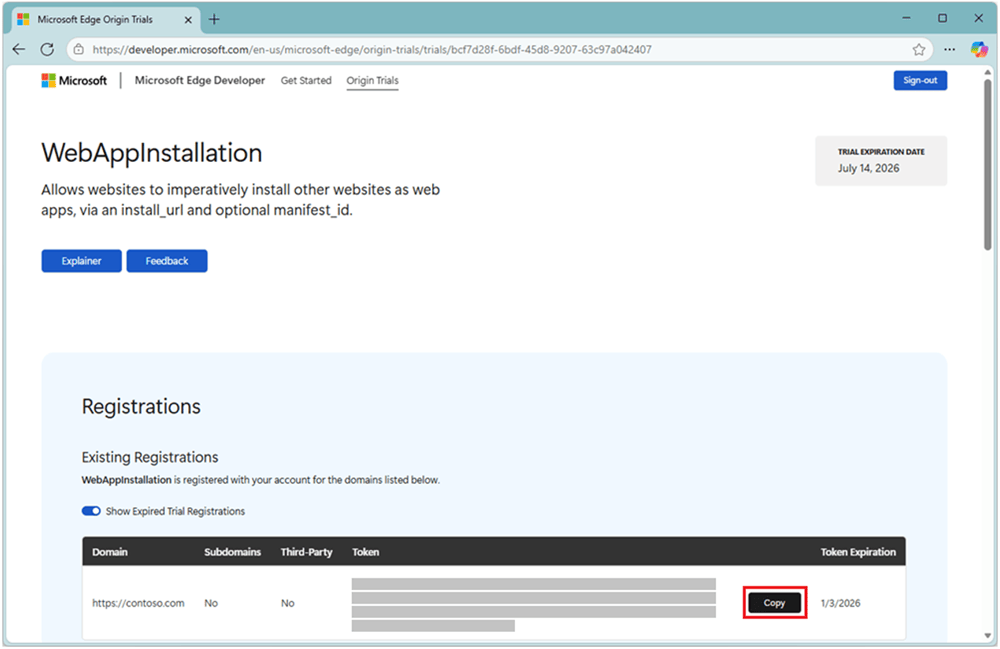
To test the Web Install API with real users, Microsoft is offering a WebAppInstallation origin trial that you can register for using a GitHub account.
Once you register, you need to:
-
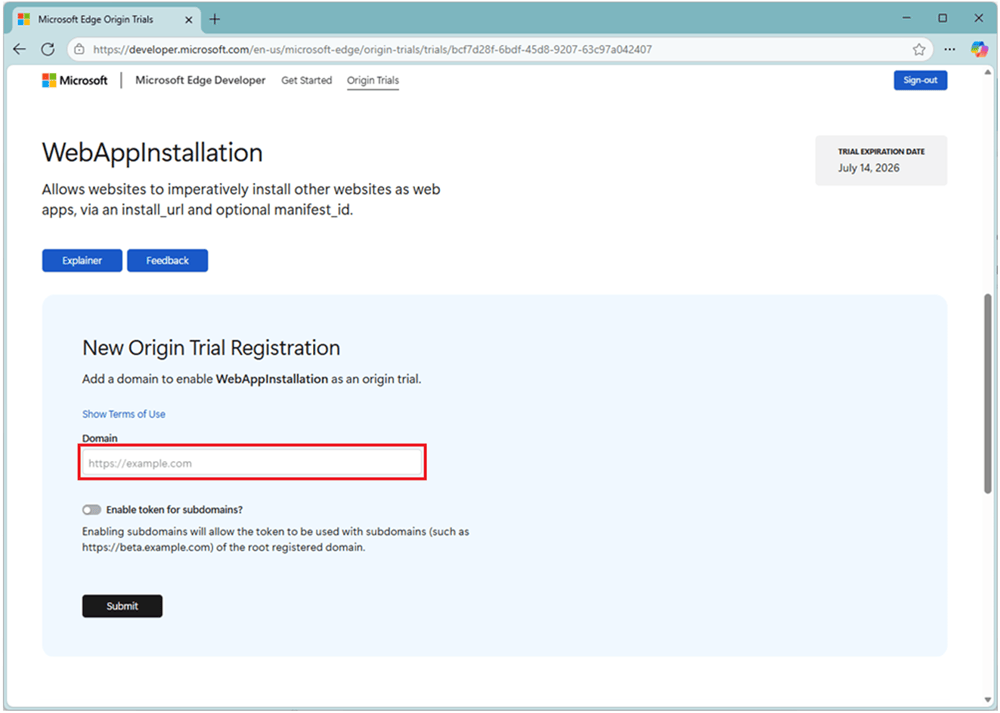
Visit the WebAppInstallation origin trial page, sign in with GitHub, accept the terms of use, and create a new registration for your domain.
-
Add the domain names where you want the trial enabled so Edge can scope the feature correctly to your sites.
-
Copy the generated origin trial token and enable it either by adding a
<meta http-equiv="origin-trial" content="TOKEN">tag in your HTML or by sending the token as anOrigin-TrialHTTP response header from your server.
Once the token is in place, visitors using Edge 143–148 will have the Web Install API turned on automatically for your origin without having to toggle anything locally. This makes it realistic to A/B test install flows or roll out the feature to a subset of properties during the trial window.
How to test the API locally with Edge flags
If you are not ready to modify production HTML or headers, Edge also lets you enable the Web Install API just on your own development machine via a feature flag.
To do this:
-
Open a new tab in Edge and navigate to
edge://flags. -
Search for “Web App Installation API,” change the flag from Default to Enabled, and restart the browser.

With the flag enabled, navigator.install() will be available for local testing, allowing you to integrate the API into your app’s UI and verify the user experience before you register for the origin trial. This is the safest path to validate your design, error handling, and analytics around installations.
What using navigator.install() looks like
In its simplest form, developers can call navigator.install() from a user gesture, such as a button click, to ask the browser to install the current PWA or another app defined by a manifest. The call returns a promise that resolves if the app is installed or rejects with well‑defined DOMExceptions such as AbortError when the user cancels or DataError when there is a manifest problem.
More advanced signatures allow you to pass an install URL and an optional manifest ID so you can install apps hosted on other origins, which is what enables cross‑site catalogs and store flows. Demos published by the Edge team show typical patterns, including feature detection for navigator.install and graceful fallbacks when the API is not supported.
Developer feedback and next steps
Microsoft is positioning this origin trial as a key checkpoint for validating both the ergonomics and the privacy/safety model of the Web Install API. Developers are encouraged to file comments, suggestions, and bug reports as GitHub issues on the MSEdge Explainers repository using the Web Install API template.
see also: Microsoft Edge for Business Dominates as Leader in IDC MarketScape for Enterprise Browsers 2025
Feedback from early adopters will influence how the API evolves, including how it handles cross‑origin installs, attribution, and integration with other PWA‑related capabilities. For PWA‑heavy ecosystems—like news sites, productivity suites, and app directories—the trial is an opportunity to shape a standardized way to install web apps directly from the open web, with browsers like Edge building that functionality into the platform itself.
Discover more from Microsoft News Now
Subscribe to get the latest posts sent to your email.
