
Security Copilot is now bundled into Microsoft 365 E5 and Microsoft 365 Copilot Business gives SMBs a cheaper on‑ramp to AI, so this deserves its own evergreen licensing explainer on your site.
Security Copilot now auto‑enabled for Microsoft 365 E5
Microsoft is quietly turning Microsoft 365 E5 into a much more compelling security bundle by including Security Copilot capacity directly in the subscription. As of January 5, 2026, eligible Microsoft 365 E5 tenants automatically receive Security Copilot capacity with zero‑click activation, meaning security teams don’t have to spin up separate Azure resources or new billing just to try the product.
Under the updated product terms, every Microsoft 365 E5 subscription now comes with a monthly allocation of Security Compute Units (SCUs), the metric Microsoft uses to measure how much Security Copilot “fuel” you get each month. The baseline is 400 SCUs per 1,000 users per month, with the allocation scaling linearly for smaller or larger tenants and resetting every month.
These SCUs are pooled at the tenant level and shared across all Security Copilot workspaces. That means SOC leaders can decide how to spread usage across different teams and environments—whether that’s central SOC, regional teams, or specific high‑risk business units. For now, the included capacity is meant to cover “typical” usage, and customers that push Copilot heavily will still be able to buy additional SCUs once they hit their included monthly cap.
What Security Copilot actually does inside E5
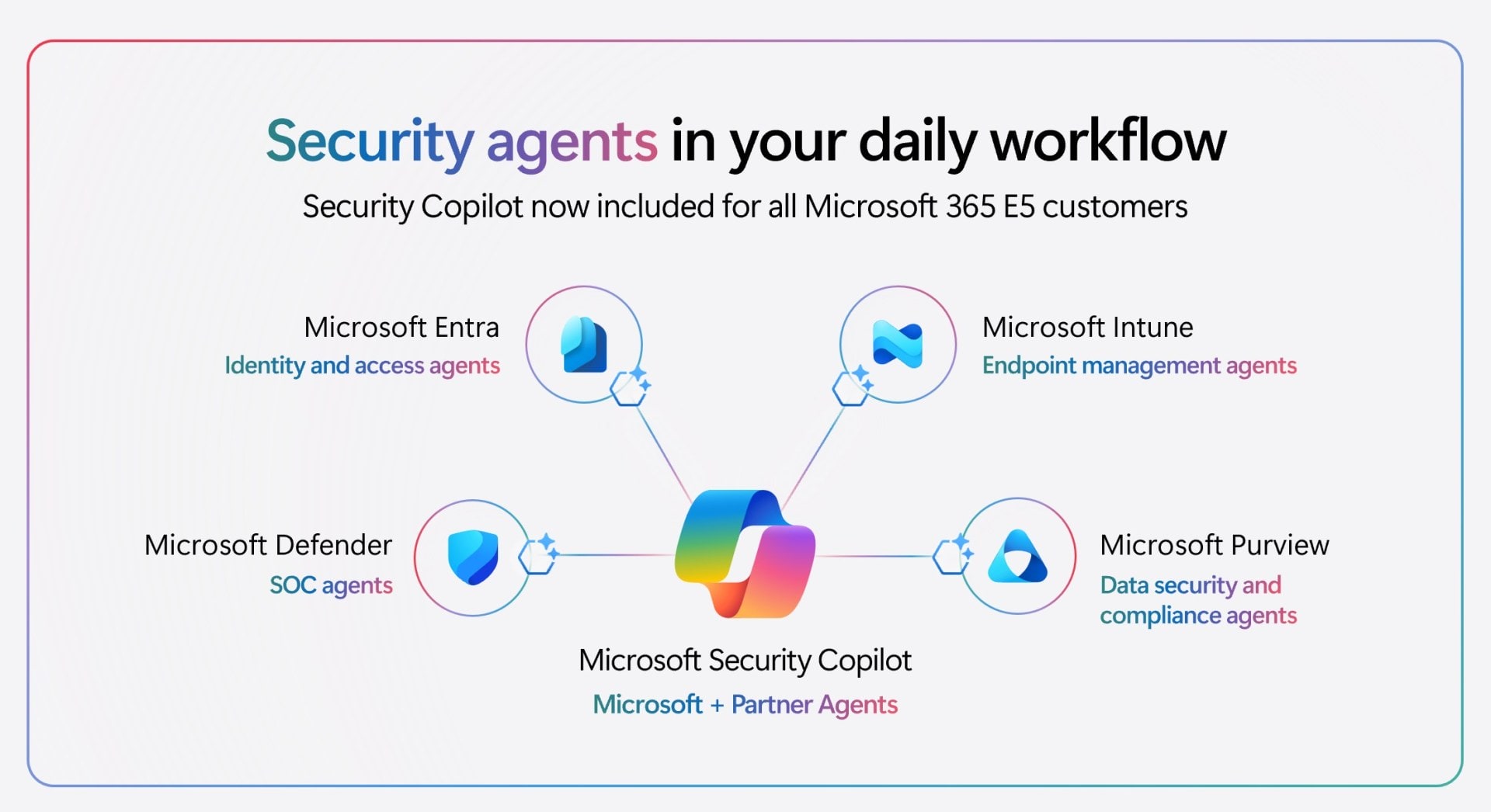
Security Copilot is not a standalone console bolted to the side of your stack—it’s a network of agents embedded into Microsoft’s existing security products. With the new inclusion, E5 customers can use Security Copilot agents directly inside:
-
Microsoft Defender for threat detection, phishing triage, incident investigation, and threat intelligence summaries.
-
Microsoft Entra for conditional access analysis, identity risk investigation, and Zero Trust posture checks.
-
Microsoft Intune for policy configuration, endpoint vulnerability remediation, and device management.
-
Microsoft Purview for discovering sensitive data, analyzing data risk, and guiding remediation steps.
Microsoft says these agents are built to work “in the flow of work” for security teams: analysts can ask natural‑language questions, generate incident timelines, create KQL queries, and get guided workflows without leaving the tools they already use. In controlled testing, Microsoft claims big gains—for example, analysts using a Phishing Triage Agent in Defender detected malicious emails up to 550 percent faster, and identity teams improved accuracy on missing Zero Trust policies by more than 200 percent with dedicated Entra agents.
Because of the automatic inclusion, existing Security Copilot customers with Microsoft 365 E5 can use these agents at no extra cost, while all other E5 customers will be notified at least 30 days before Security Copilot is activated in their tenant. That rollout pattern gives CISOs time to update policies, brief SOC staff, and turn on additional logging or approvals before analysts start leaning on AI outputs in production workflows.
What CISOs and IT leaders need to watch

From a CISO’s perspective, bundling Security Copilot into Microsoft 365 E5 changes the conversation from “Should we buy this AI add‑on?” to “How do we govern the AI capabilities we just got by default?” There are three big areas to focus on:
-
Governance and scope of use – With agents now available across Defender, Entra, Intune, and Purview, you’ll want clear rules about which teams can use Copilot, in what contexts, and which outputs require human verification before action.
-
Capacity planning – While 400 SCUs per 1,000 users sounds generous, independent licensing experts have already warned that heavy SOC usage could exhaust that pool quickly, especially in large, noisy environments. Monitoring SCU consumption in the early months will be essential so you’re not surprised when you need to purchase top‑up capacity.
-
Data residency and privacy – Security Copilot draws on Microsoft’s global threat intelligence plus your own tenant data, unified via tools like Microsoft Sentinel and Purview. You’ll want to ensure your existing data classification, DLP, and logging strategies cover how Copilot interacts with and surfaces that data to analysts.
The upside is that many E5 customers can now run meaningful pilots without any additional licensing work. SOC leaders can pick a few high‑friction workflows—like phishing triage or incident report generation—then compare time‑to‑close and analyst load with and without Copilot to prove value before expanding usage.
Microsoft 365 Copilot Business: AI for up to 300 users
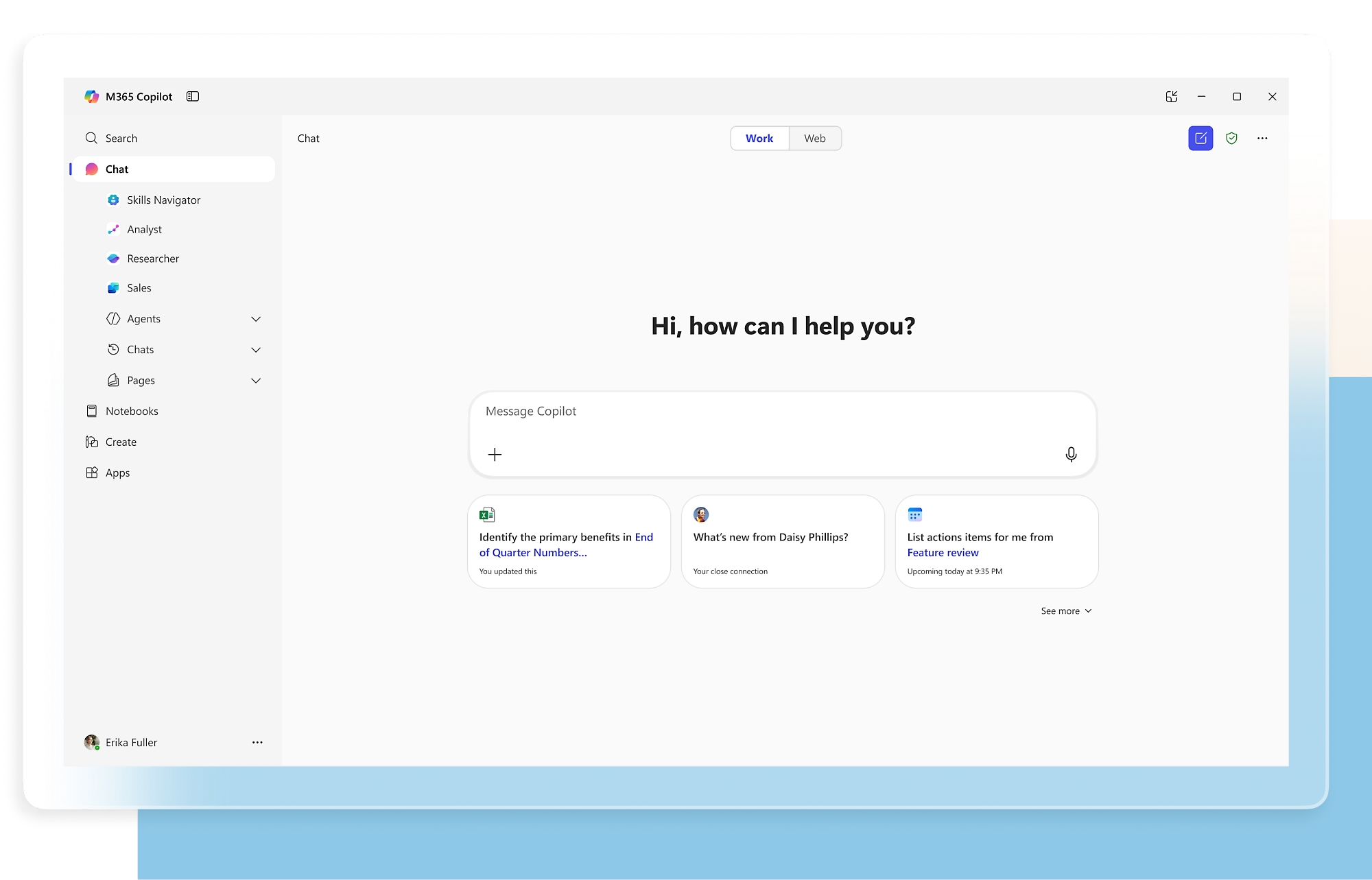
On the SMB side, Microsoft is launching Microsoft 365 Copilot Business, a new flavor of Copilot tailored for organizations with up to 300 users. This SKU is built as a Copilot add‑on for Microsoft 365 Business plans rather than a separate productivity suite.
The standard list price for Microsoft 365 Copilot Business is 21 USD per user per month with an annual commitment. Between December 2025 and March 2026, Microsoft and its partners are running promos that drop effective pricing to around 18 USD per user per month in some bundles, but 21 USD remains the published ERP for the add‑on itself.
Copilot Business is explicitly designed for tenants with up to 300 users. Microsoft’s own small‑business plans state that the Business family targets organizations with a maximum of 300 users and that the company reserves the right to enforce a 300‑license tenant cap across all Business plans in the future. For larger organizations, Microsoft still directs customers towards the enterprise Microsoft 365 Copilot add‑on at 30 USD per user per month for E3/E5 and similar SKUs.
Once licensed, Copilot Business brings AI assistance across Word, Excel, PowerPoint, Outlook, and Teams, all grounded in your Microsoft 365 data. Microsoft’s Business plan pages highlight features like AI‑powered chat connected to your work data, reasoning over documents and spreadsheets, and integrated identity and access management for up to 300 users as core parts of the Copilot Business experience.
Which Microsoft 365 Business plans support Copilot Business?
Copilot Business is positioned as an add‑on that rides on top of the existing Microsoft 365 Business lineup. Today, it works with:
-
Microsoft 365 Business Basic (and “no Teams” variant in certain markets).
-
Microsoft 365 Business Standard (and “no Teams” variant).
-
Microsoft 365 Business Premium (and “no Teams” variant).
Microsoft and CSP partners are also marketing bundled SKUs that combine Business plans with Copilot Business, such as “Business Basic + Copilot,” “Business Standard + Copilot,” and “Business Premium + Copilot.” Some of these bundles start as low as 27 USD per user per month for Business Basic plus Copilot Business or offer aggressive promo rates for Business Standard and Premium with Copilot included.
For SMB customers, the key advantage is flexibility: unlike the original Microsoft 365 Copilot launch that required a 300‑seat minimum and skewed heavily toward enterprise, Copilot Business is available from a single seat up to 300 users. That makes it viable for smaller firms, MSP‑managed tenants, and branch operations that want AI capabilities without jumping into enterprise licensing.
How customers should respond to these changes
If you’re running Microsoft 365 E5 today, your next steps are mostly about enablement and governance rather than procurement. Confirm when Security Copilot will be activated in your tenant (or if it already has been), check the SCU allocation that applies to your user count, and set up usage monitoring so you can see how quickly your teams consume the included capacity.
From there, work with your SOC leaders to identify a few pilot workflows—phishing, incident post‑mortems, risky identity investigations—and build playbooks that explicitly include or exclude Security Copilot recommendations. Make sure you review data‑handling, logging, and human‑in‑the‑loop guardrails before analysts begin to rely on AI‑generated actions in production.
If you’re in the SMB space on Microsoft 365 Business Basic, Standard, or Premium, the big question is whether the 21 USD per user per month price tag for Copilot Business fits your budget and priorities. A practical approach is to license a small pilot group representing different roles—sales, operations, finance, support—then compare output quality and time savings over a few months against users without Copilot.
Either way, Microsoft’s direction is clear: AI is no longer an optional bolt‑on for Microsoft 365, it’s becoming a built‑in expectation across both enterprise and SMB tiers. Security Copilot in E5 and Copilot Business for SMBs are two sides of the same strategy—pushing Copilot into as many seats as possible, as quickly as possible.
Related Posts You Might Like
Discover more from Microsoft News Now
Subscribe to get the latest posts sent to your email.
