

Windows 11’s February 2026 Patch Tuesday is shaping up to be one of the most impactful Windows updates of the year, mixing long‑awaited quality‑of‑life improvements with a fresh round of critical security fixes.
A major February 2026 Patch Tuesday after a rocky January
Microsoft is rolling out its February 2026 Patch Tuesday update for Windows 11 today, and it’s more than just another round of security patches. This release, centered around cumulative update KB5074105, is being closely watched because it follows a rough January cycle that generated multiple emergency out‑of‑band fixes to clean up regressions. Security vendors are already describing February 2026 Patch Tuesday as a “roll‑up” that pulls together those January hotfixes while delivering new platform improvements aimed at stability and performance.
In January, Microsoft shipped updates that addressed more than 90 vulnerabilities in Windows 11 and Server 2025, plus dozens more in Windows 10 and legacy Office components, but some of those patches caused shutdown, hibernation, and remote connection issues on certain devices. That led to at least two emergency out‑of‑band updates in the weeks after Patch Tuesday as Microsoft chased bugs in its own fixes. February’s update is effectively Microsoft’s attempt to reset the baseline, delivering security rollups and quality‑of‑life improvements that should bring Windows 11 back to a more predictable state for admins and everyday users.
Feature highlight: Android app resume on your PC

The most eye‑catching user feature in the February 2026 Patch Tuesday update is expanded support for resuming Android apps and activities directly on your Windows 11 desktop. Microsoft is broadening its Cross‑Device Resume capability so that you can pick up where you left off in apps like Spotify, Office on mobile, or your browser on your Android phone, right from the Windows taskbar. This experience, which began as an Insider‑only feature, is now rolling out more broadly as part of the February security update for Windows 11 versions 24H2 and 25H2.
Cross‑Device Resume is designed to make Windows 11 feel more like the hub of your digital life rather than just another device. You see recently used activities from your phone in the taskbar, click an item, and Windows orchestrates the hand‑off so you can keep working or listening without hunting for apps or files. For users who live across PC and phone all day, this is the kind of subtle but meaningful productivity boost that can quietly change how you move between devices.
Security focus: Smart App Control (SAC) finally gets a proper switch
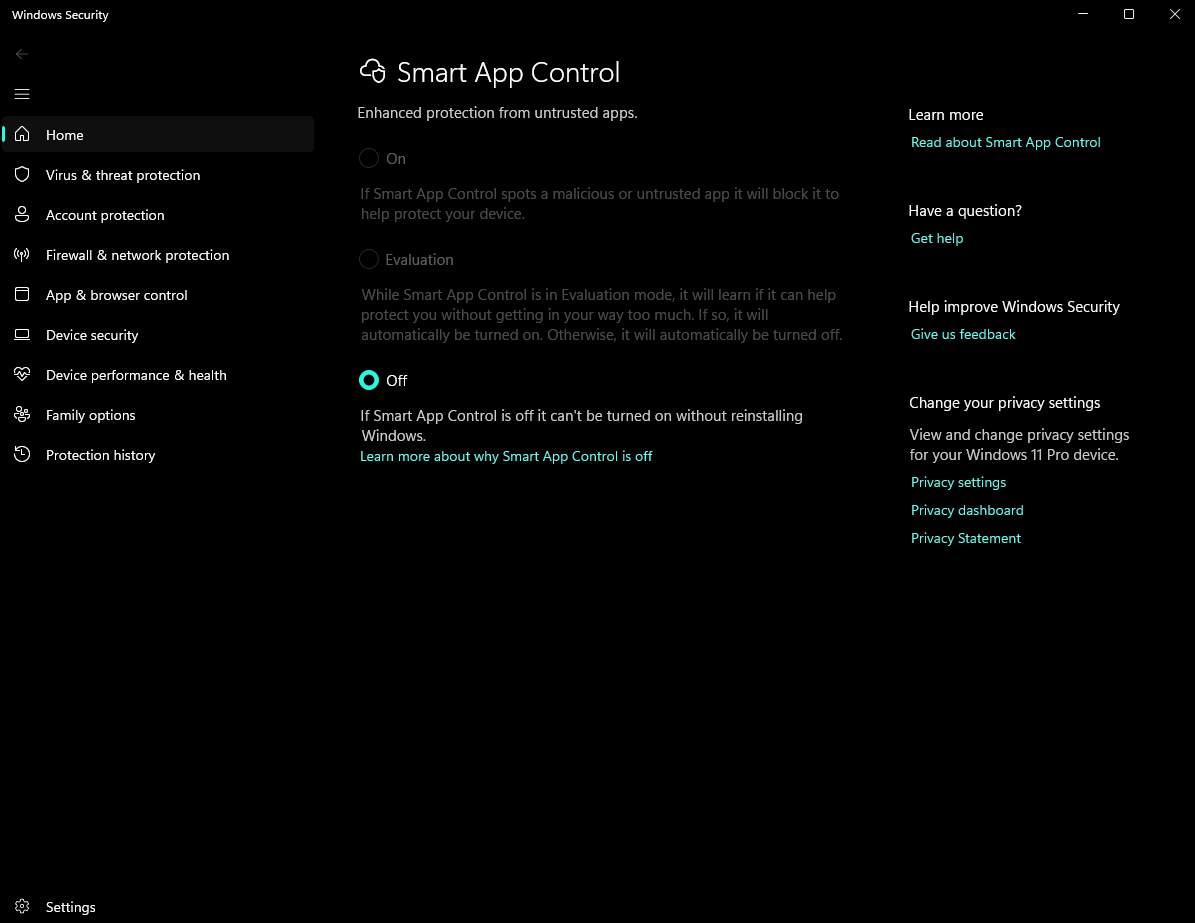
On the security front, Smart App Control (SAC) is getting one of its most requested improvements: you can now turn it on or off without reinstalling Windows. SAC is Microsoft’s cloud‑powered protection layer that blocks untrusted or potentially malicious apps before they run, but early adopters quickly learned that disabling it once enabled required a clean OS install. Starting with the February 2026 update, SAC becomes a regular toggle that can be switched as needed from Windows Security and Settings.
Microsoft documentation and community posts note that the new behavior is rolling out gradually, and management lives under Settings > Privacy & Security > Windows Security > App & Browser Control > Smart App Control. That change makes SAC far more practical for power users and IT admins who may need to temporarily relax protections for testing or specific line‑of‑business apps. It also reduces friction for users who turned the feature on, discovered compatibility issues, and previously had no straightforward way to undo that decision.
Accessibility and input upgrades: Voice Access, Voice Typing, and Narrator
Accessibility continues to be a major theme for Windows 11 in early 2026 (see Accessibility in 2025), and the February update pushes another round of improvements to the platform’s voice and screen‑reading tools. Voice Access, which lets users control their PC with speech, is gaining a revamped setup experience that walks people through downloading a language model, connecting a microphone, and understanding the basics of voice commands. These steps are meant to make it easier for new users to get reliable voice control without digging through obscure settings pages.
Voice Typing is also being refined with a new “wait time before acting” option, giving users control over how quickly their spoken commands are executed. You can set the delay from instant to longer intervals, which can help users who need a bit more time between dictation and commands or who want to reduce accidental triggers. For Narrator, Microsoft is adding more granular control over what information is announced and in what order, making it easier for people with visual impairments or cognitive differences to tailor the reading experience to their needs.
Performance and device improvements: File Explorer and Windows Hello
Beyond visible features, the February 2026 Patch Tuesday update includes a handful of under‑the‑hood changes aimed at everyday performance. File Explorer is getting responsiveness improvements that should make navigation and folder browsing feel snappier, while fixes address issues like unresponsive lock screens and desktop icons unexpectedly shifting after file operations. These tweaks may sound minor, but collectively they target some of the nagging frustrations Windows 11 users have reported throughout 2025 and into early 2026.
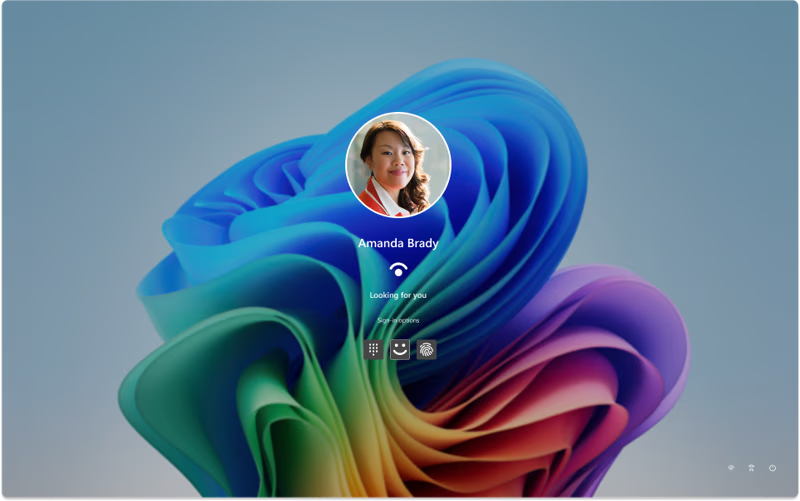
Windows Hello is also being expanded so that enhanced sign‑in security now works with external fingerprint readers, not just built‑in biometric hardware. After the update, users can plug in a compatible external fingerprint sensor and configure Windows Hello under Settings > Accounts > Sign‑in options. That change is especially useful for desktop PCs and older laptops that ship without integrated biometric sensors but still want modern, phishing‑resistant authentication.
Why this Patch Tuesday matters for admins and everyday users

From a security and IT management perspective, February 2026 Patch Tuesday is important because it pulls together three rounds of out‑of‑band fixes that followed January’s problematic updates. Microsoft is effectively consolidating those emergency fixes into a more stable baseline, while also delivering the usual OS, Office, and possibly .NET rollups expected on a second‑Tuesday release. Their guidance is to test quickly but aim to deploy by the end of the week, assuming no fresh regressions surface.
For regular Windows 11 users, the story is simpler: this is a rare Patch Tuesday that feels like a feature update. You get a more seamless Android‑to‑PC workflow, better voice and accessibility tools, a smarter approach to Smart App Control, and performance fixes that should make the OS feel faster and more reliable day to day. After a bumpy start, the February 2026 Patch Tuesday is Microsoft’s chance to reassure people that Windows 11 can still evolve without constantly breaking things along the way.
Recent Posts You Might Like
- Relooted Turns African Artifact Repatriation into the Smartest 2D Heist Game on Xbox Game Pass
- Microsoft Patch Tuesday February 10, 2026: Big Windows 11 Security Fixes And New Features Land
- Microsoft Copilot Got the Super Bowl LX Winner Right – Here’s How Close Its Seahawks–Patriots 24-20 Prediction Came
- OneDrive Agents Now Generally Available: How Microsoft 365 Copilot Turns Your Files into an AI Project Teammate
- Claude Opus 4.6 Brings Next‑Gen Agentic Coding to GitHub Copilot Users Now Available
Discover more from Microsoft News Now
Subscribe to get the latest posts sent to your email.
