

The Surface IT Toolkit is a modern desktop application designed to streamline the management of Surface devices for IT administrators. This toolkit compiles essential commercial tools into a single application, enhancing the device management experience by providing simplified access to important tools that complement both cloud and traditional management strategies.
Surface IT Toolkit installation
The Surface IT Toolkit can be downloaded as an MSIX package from the IT Pro Download Center. To access the toolkit, navigate to the Surface Management and Support Suite and locate the Surface IT Tools section. Here, you will find the download link. It is crucial to ensure that you are using the latest versions of tools and installers, as the toolkit automatically checks for updates and downloads them.
- Visit the IT Pro Download Center.
- Download and install the MSIX package for the Surface IT Toolkit (1.6 GB).
- Click Accept to accept the license agreement.

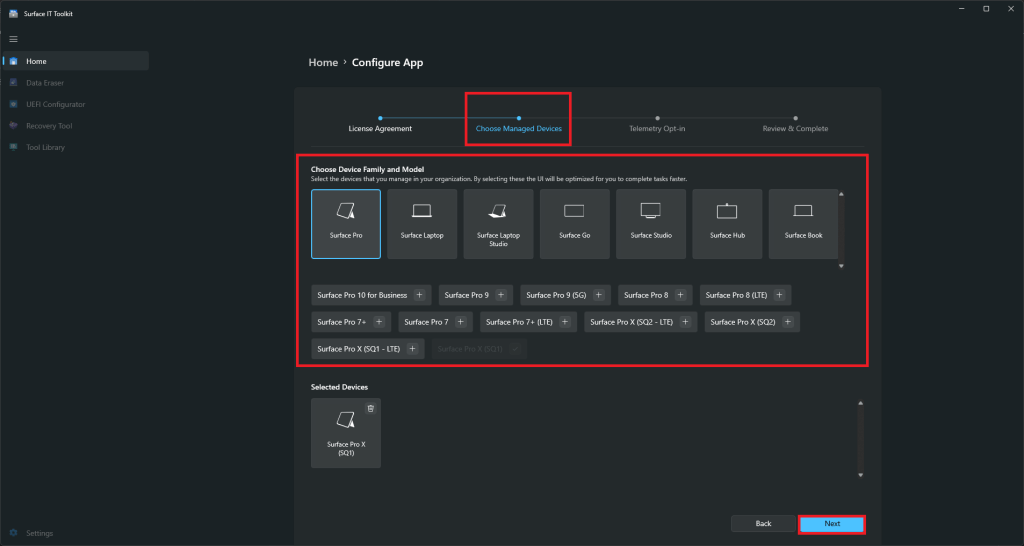
- Pick the Surface device model that you want to set up as a managed device and click Next.
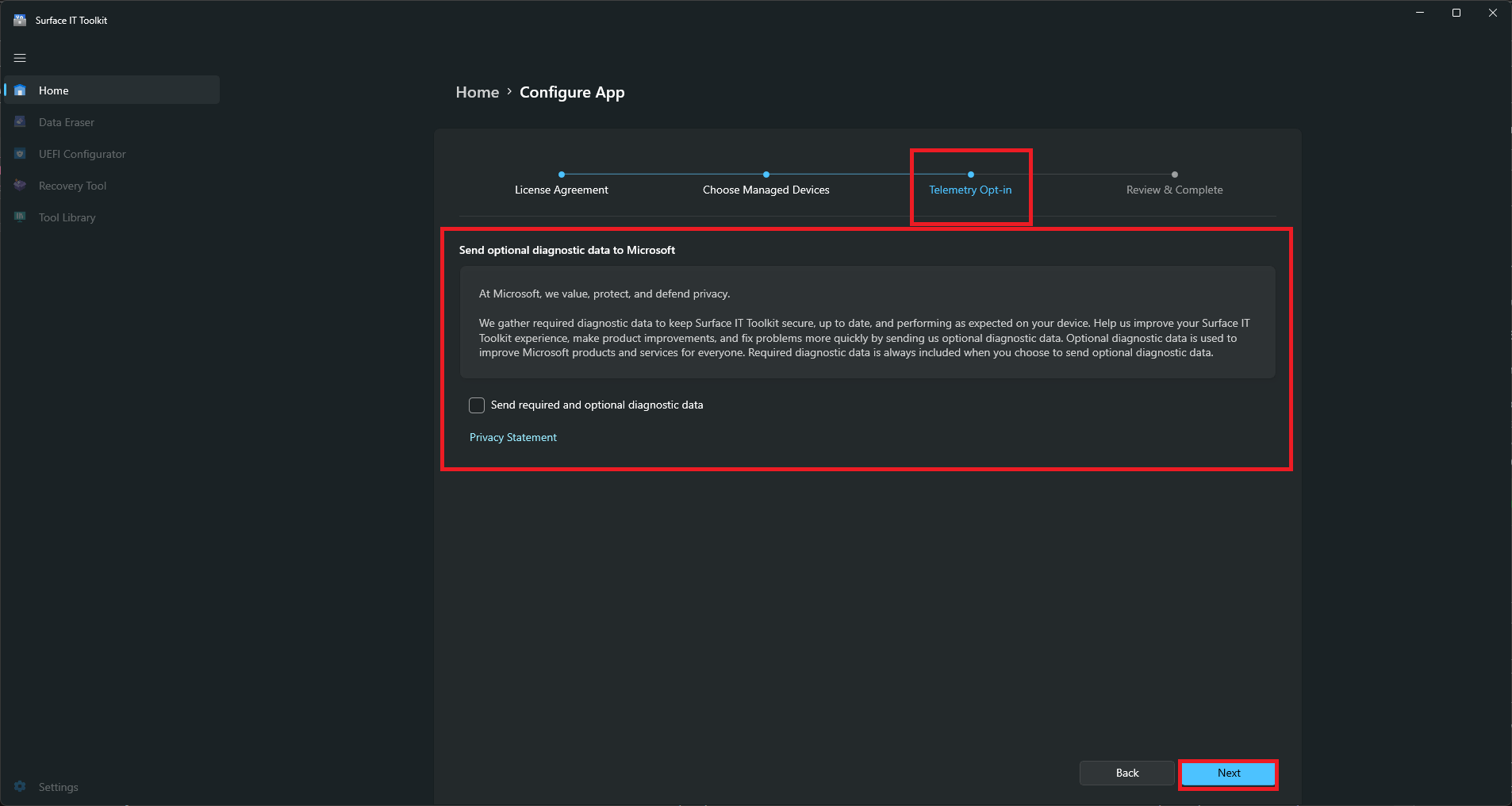
- At this screen you can opt to just send the required data or also send diagnostic data to Microsoft. Click Next when finished.
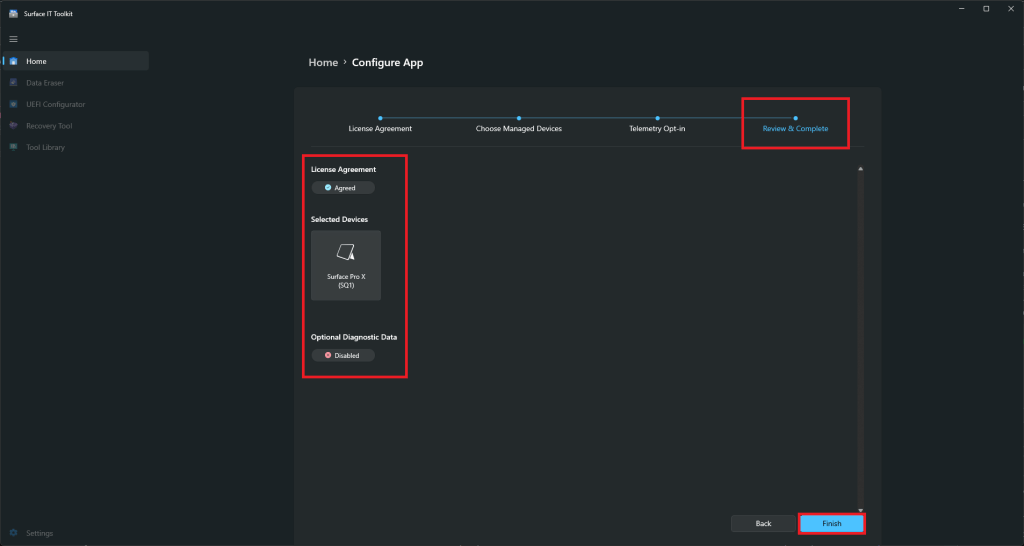
- At the Review & Complete section, review that everything is set up like you want and click Finish when done.


4 Surface IT Toolkit tools you can actually use
Once you finish the initial installation and configure the app set up, you are ready to use the tools in the Surface IT Toolkit. The toolkit offers a range of features designed to aid in the configuration, updating, and troubleshooting of Surface devices:
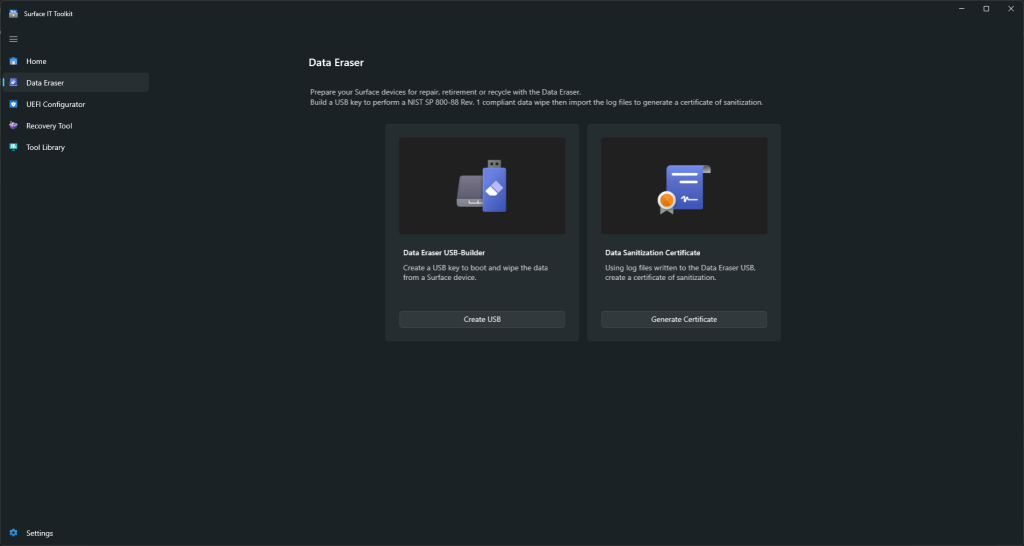
- Data Eraser: Securely removes data from Surface devices, with the ability to create certificates of sanitization.
- UEFI Configurator: Applies Surface Enterprise Management Mode (SEMM) UEFI configurations on supported devices and docks.

- Recovery Tool: Assists in performing device resets and managing previously downloaded factory images.
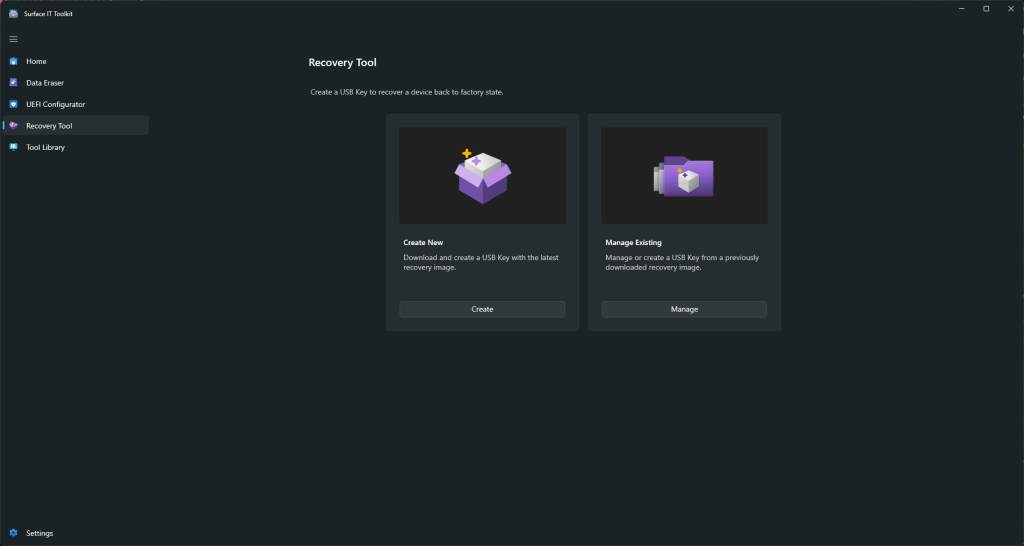
- Tool Library: Contains tools such as the Surface Asset Tag Tool, Surface Diagnostic Toolkit for Business, and Surface Brightness Control Tool.
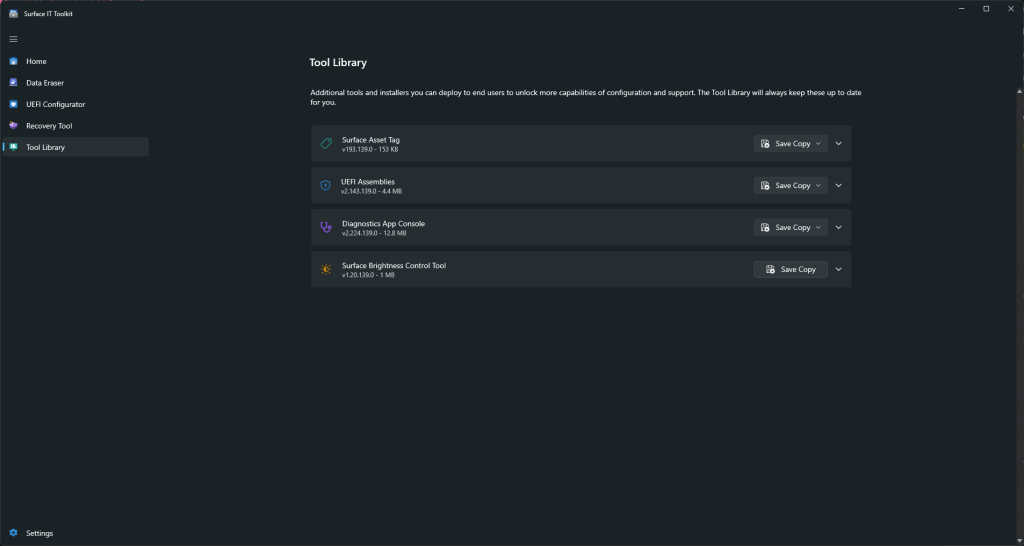


The Surface IT Toolkit is an essential application for IT administrators managing a fleet of Surface devices. By centralizing access to management tools, automating updates, and providing comprehensive support for device management, the toolkit enhances the efficiency and effectiveness of Surface device administration. Regular use and familiarity with its features and best practices will ensure optimal performance and device management in a commercial setting.
For those trying to deploy this, here is the direct link to the Surface IT Toolkit (1.6 GB).
Discover more from Microsoft News Now
Subscribe to get the latest posts sent to your email.
